In a developer workspace, a male engineer writes code on a widescreen monitor with abstract code shapes while a colleague looks over
Fynd ERP

Your own endpoints, running inside your ERP

Write a handler, describe its input and output, and give partners and machines an API that fits the way they already talk.

Everything an endpoint needs

Code, contracts, keys and logs in one place, on the same data and permissions as the ERP.

Write a handler

Each API is a short handler function that reads the request and writes the response.

Request and response schemas

Describe the input and output with JSON Schema, and requests are checked before your code runs.

Sync or async

Answer straight away, or accept the request, run it in the background and let the caller poll for the result.

The formats callers speak

Accept JSON, form or plain text requests, and reply with JSON, an envelope or text such as XML.

API keys

Issue keys with scopes, an expiry date and a rate limit. Keys are never shown again after creation.

Test console

Try an API with headers, query parameters and a body before you share it.

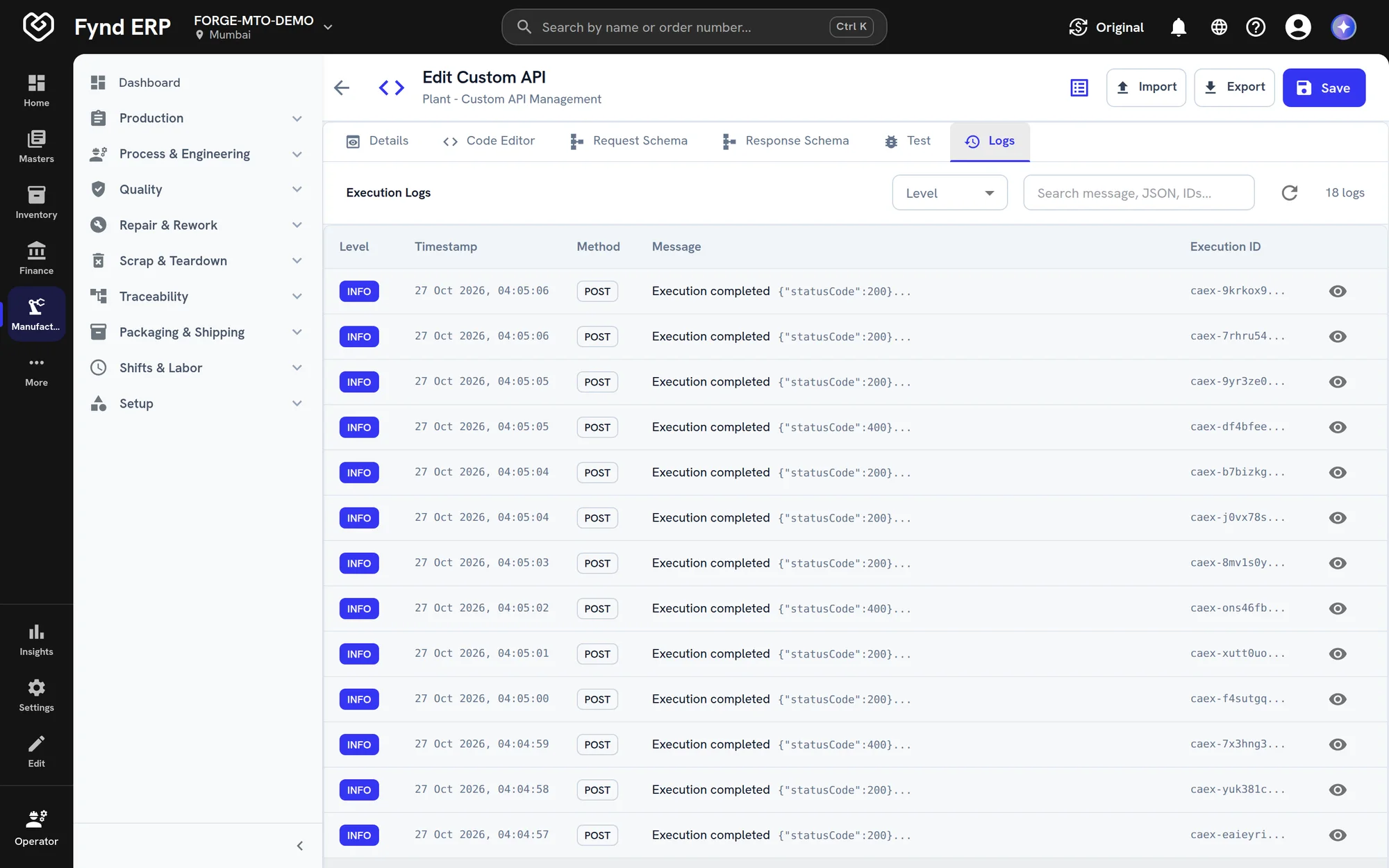
Execution logs

Each run keeps its status and log lines by level, so you can see what happened.

Health at a glance

See how often each API runs, its success rate and its average time.

Import and export

Move API definitions between environments with YAML import and export.

Who it's for

Builders write the endpoint once, and the people around them can see what it does.

Developers

  • A short handler instead of a separate service
  • JSON Schema checks before the code runs
  • A test console with headers, query and body

IT and integration lead

  • Keys with scopes, expiry and rate limits
  • Endpoints grouped by connected system
  • YAML export to move APIs between environments

Partner and dealer teams

  • An API in the format the partner already speaks
  • Live ERP data, not a nightly file
  • Async calls for slow work

Support and operations

  • Every run logged with its status
  • Success rate and average time per API
  • Log lines by level when something fails

See the screens your team will use

Real screens from Fynd ERP, shown with demo data for a fictional manufacturer.

Each integration lists its endpoints with name, slug, execution mode, status and success rate. Open the logs of any API to see every call it served.

  • Sync or async execution
  • Success rate per API
  • Logs, test and edit from the list

A day with Custom APIs

Follow one dealer portal endpoint from the first request to live traffic. Each step happens in Fynd ERP.

  1. Inventory

    A partner asks for data

    The dealer portal needs live stock for the items it sells.

  2. Integrations and Connectors

    An integration is set up

    The team creates a dealer portal integration to hold its keys and endpoints.

  3. Custom APIs

    The handler is written

    A developer writes a short handler and describes its input and output with JSON Schema.

  4. Custom APIs

    It is tested

    The team tries the endpoint in the test console with real headers and a body.

  5. Custom APIs

    A key is issued

    The portal gets an API key with a scope, an expiry date and a rate limit.

  6. Custom APIs

    Calls are watched

    Every call keeps its status and log lines, and the API shows its success rate.

Custom API features in detail

The parts of building an API that teams ask about most.

Custom API builder

Each API is a short handler that reads the request and writes the response, running inside the ERP. It works on ERP records with the same data and permissions as the rest of the system.
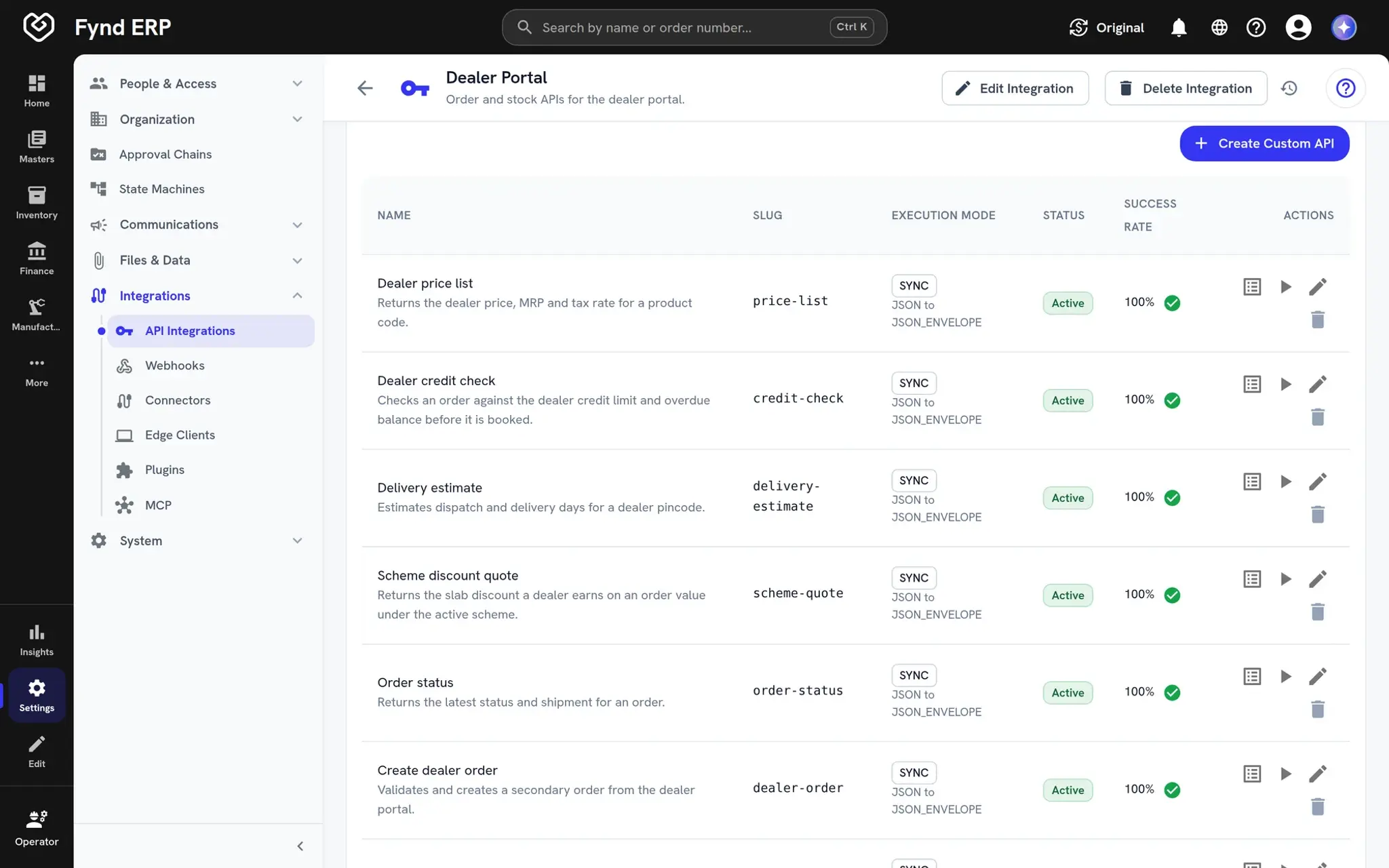
  • Handlers on live ERP data
  • Run, edit and test from the list
  • Grouped by integration
Fynd ERP custom APIs for a dealer portal integration with slugs, statuses and success rates

Request and response schemas

Describe the input and output of each API with JSON Schema. Bad requests are turned away before your code runs, and callers know exactly what to send.

  • JSON Schema for input and output
  • Checks before the handler runs
  • JSON, form or text requests

Sync and async APIs

Answer straight away, or accept the request, run it in the background and let the caller poll for the result. Long jobs stop timing out on the caller's side.

  • Immediate replies for quick lookups
  • A receipt and polling for long work
  • Status kept for every run

API keys and execution logs

Issue keys with scopes, an expiry date and a rate limit, and keys are never shown again after creation. Each run keeps its status and log lines, so you can see what happened.
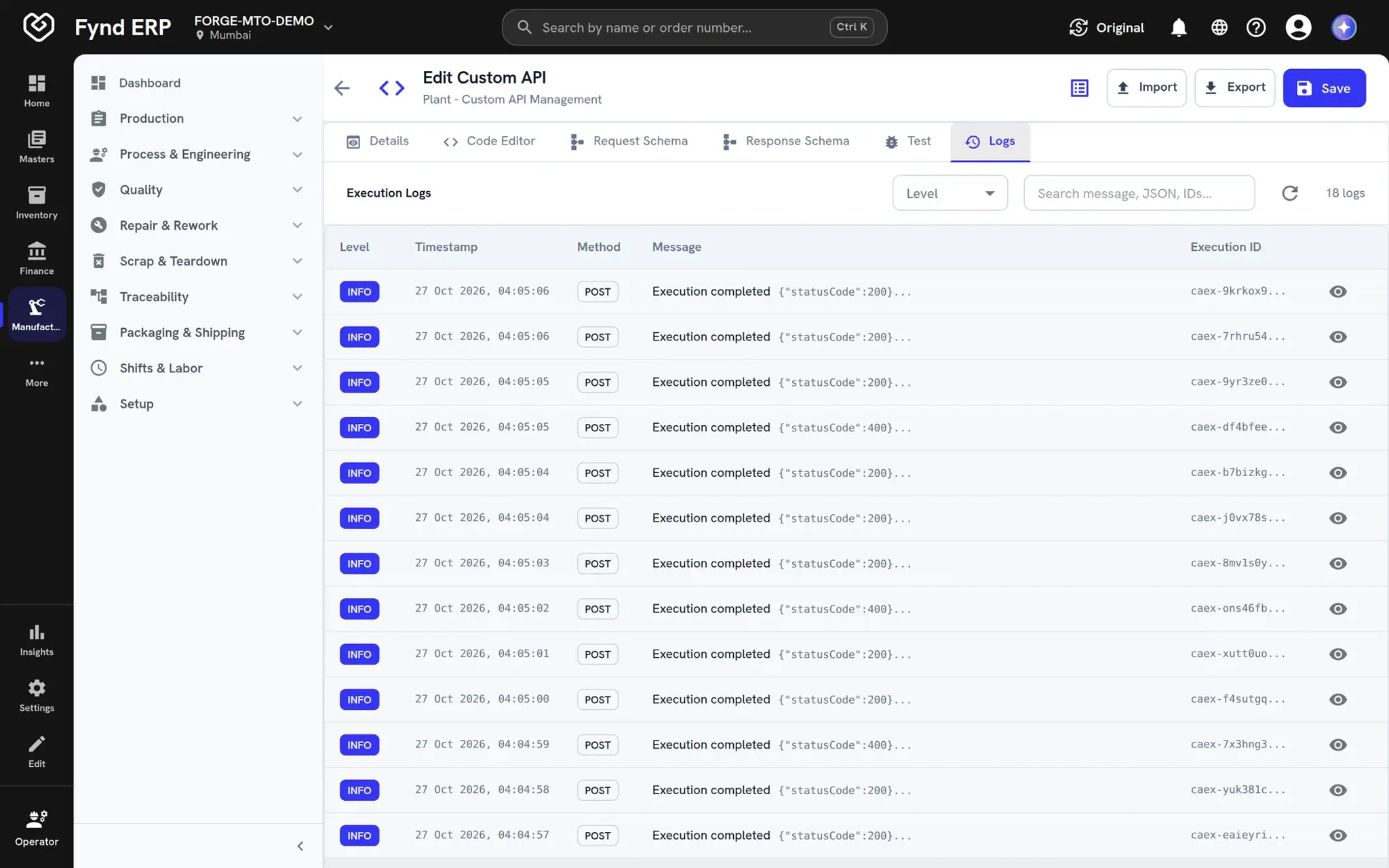
  • Scoped keys with expiry and rate limits
  • Log lines by level
  • Success rate and average time
Fynd ERP execution logs for a custom API with timestamps, methods and status codes

APIs reach into every module

Handlers work with ERP records, so partners and machines can read and act on live data.

Manufacturing

Let test stations and machines post results and look up units.

Inventory

Give partners a live view of stock in the shape they need.

Procurement

Let suppliers send confirmations and documents in their own format.

Custom Apps and Tables

Read and write your own tables from an endpoint.

Integrations and Connectors

Pair your endpoints with webhooks for two-way connections.

Workflow and Automation

Start follow-up work when an API receives a request.

New

New in Custom APIs

Recently added to this module.

  • Caller authentication per API

    Choose a custom header key, Basic or Bearer authentication for each API.

Frequently asked questions

A short handler function that reads the request and writes the response, plus optional schemas for the input and output.

Yes. APIs can accept JSON, form or text requests and reply with JSON or text, including XML content types.

Make the API async. The caller gets a receipt straight away and polls for the result.

With API keys that carry scopes, an expiry date and a rate limit. Per-API authentication options are coming soon.

Yes. Every run keeps its status and log lines, and each API shows its success rate and average time.