In a modern office, a male operations manager approves a request on his phone while walking past a glass wall
Fynd ERP

Work that moves on its own, with people where they matter

Start a workflow from any business event, ask the right person to approve and hand off to the next step without chasing anyone.

Automation built into the ERP

Triggers, logic and approvals in one builder, on the same data and permissions.

Visual workflow builder

Lay out steps with conditions, switches, loops, delays, data mapping and reusable sub-workflows.

Any business event as a trigger

Every business event in the catalogue can start a workflow, with its full payload available to the steps.

Schedules and webhooks

Run workflows on a schedule or when an outside system calls a webhook.

Approvals

Route approvals to people inside a workflow and work them from one approvals inbox.

Lifecycle rules

Define the states and transitions of each record type, with approvals on the moves that need them.

Call other systems

Call APIs, read and write tables and exchange files over SFTP from inside a workflow.

Email steps

Send email as a step in a workflow, with data from the record filled in.

AI steps

Add an agent step to a workflow where judgement or summarising helps.

Shop floor automations

Scripts run on the edge client at automatic stations and talk to machines over industrial protocols.

Who it's for

The people who design processes and the people who act on them use the same engine.

Process owners

  • Workflows started by any business event
  • Approvals routed to the right people
  • On and off switches per workflow

Approvers

  • One approvals inbox for every request
  • The record and its data in view
  • Sensitive moves held until approved

IT and developers

  • API calls, tables and SFTP inside a workflow
  • Webhook and schedule triggers
  • Step by step history for every run

Plant engineering

  • Scripts on the edge client at automatic stations
  • Machines reached over industrial protocols
  • Keeps working through short network drops

See the screens your team will use

Real screens from Fynd ERP, shown with demo data for a fictional manufacturer.

Each workflow is a set of steps on a canvas. This one reads a purchase order, checks if it is above 5 lakh and writes a review note for the finance head.

  • Webhook, mapping, condition and code steps
  • True and false paths from a condition
  • Each step's settings in a side panel

A day in workflow automation

Follow one large supplier invoice through an approval workflow. Each step happens in Fynd ERP.

  1. Procurement

    An event fires

    A supplier invoice above a set amount is captured and a business event is published.

  2. Workflow and Automation

    The workflow starts

    The event starts a workflow, with the full invoice payload available to every step.

  3. Workflow and Automation

    A condition routes it

    A condition checks the amount and the cost centre and picks the approval path.

  4. Workflow and Automation

    Someone approves

    The finance controller approves it from the approvals inbox.

  5. Customer Communications

    People are told

    An email step tells the buyer and the requester that the invoice is cleared.

  6. Finance and Accounting

    The invoice moves on

    The invoice moves to its next state and is ready for the payment run.

Workflow and Automation features in detail

The parts of automation teams ask about most.

Visual workflow builder

Lay out steps on a canvas with conditions, switches, loops, delays and data mapping. Reuse common steps as sub-workflows and switch each workflow on or off.

  • Conditions, switches, loops and delays
  • Reusable sub-workflows
  • Visual and JSON views

Approval workflows

Route approvals to people inside a workflow, and let them act from one approvals inbox. Every decision stays on the run's history.

  • Approval steps in any workflow
  • One approvals inbox
  • Decisions kept on the run history

Event, schedule and webhook triggers

Any business event in the catalogue can start a workflow, and so can a schedule or an outside system calling a webhook. The trigger's data is available to every step.

  • Every business event in the catalogue
  • Schedules
  • Inbound webhooks from other systems

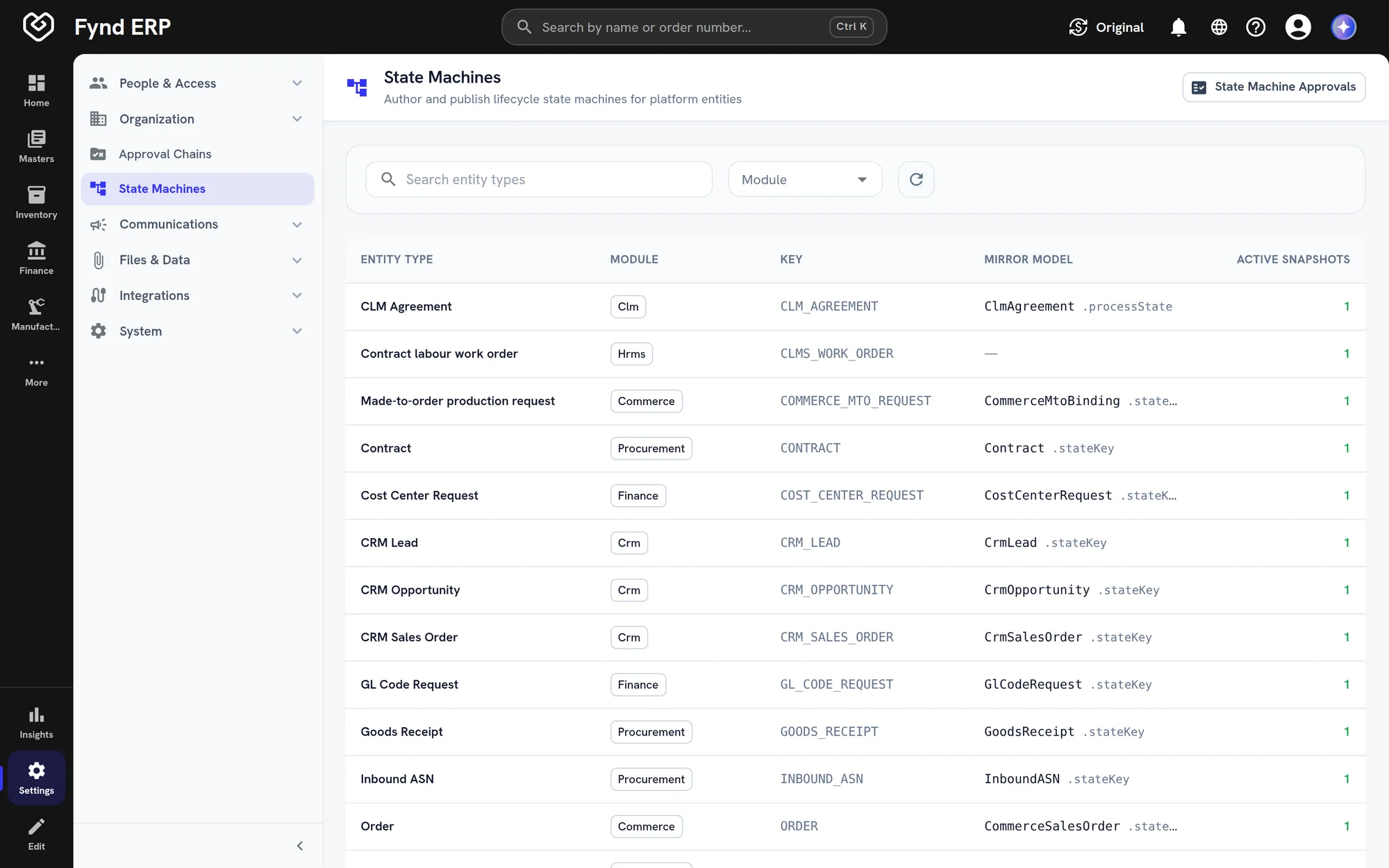
Lifecycle rules

Define the states a record type can be in and the moves between them. Sensitive moves can require approval before they happen.
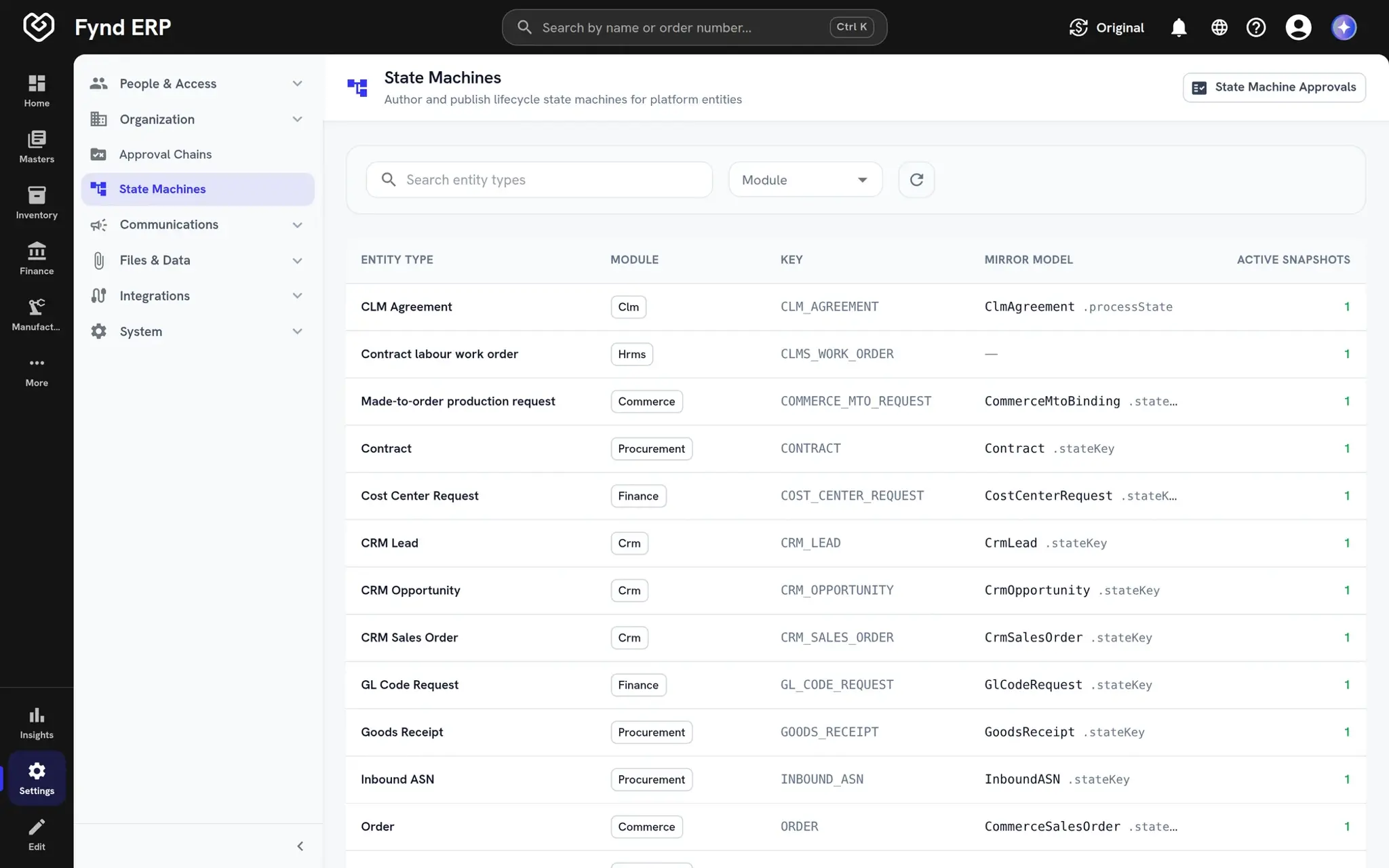
  • States and transitions per record type
  • Approval on sensitive moves
  • One engine for many record types
Fynd ERP state machine editor for a record type

Automation reaches every module

Workflows start from events in any module and act on records anywhere in the ERP.

Procurement

Route purchase approvals and notify suppliers when an order is released.

Finance and Accounting

React to posted invoices and payments, and route journals for approval.

Manufacturing

Edge automations capture machine data at automatic stations.

Service Desk

Escalate tickets and update customers as work progresses.

Customer Communications

Workflow steps send email to the people who need to act.

Integrations and Connectors

Call outside systems, receive webhooks and exchange files.

Frequently asked questions

Any business event in the catalogue, a schedule, or an outside system calling a webhook.

Yes. Approval steps send work to people, who act on it from the approvals inbox.

Yes. Each execution keeps a step by step history with the inputs and outputs of every step.

They define the states a record type can be in and the moves between them. Sensitive moves can require approval.

Yes. Scripts run on the edge client at automatic stations, talk to machines over industrial protocols and keep working through short network drops.