A virtual try-on platform should match both the product and the way customers shop. Beauty brands need to let shoppers compare shades, while eyewear and jewelry brands need to show how products look when worn. Fashion and footwear brands may need outfit or fit visualization; meanwhile, home and furniture brands can use AR to show products in a shopper’s space. For physical stores, smart mirrors can bring digital try-on into the shopping journey.
Fynd GlamAR serves brands across beauty and cosmetics, eyewear, jewelry and accessories, fashion and apparel, footwear, watches, hair and nail care, luggage, and home and furniture. It brings virtual try-on together with 3D, AR and VR commerce tools for ecommerce and retail. This guide compares seven virtual try-on platforms, including their features, technical integrations and implementation considerations.
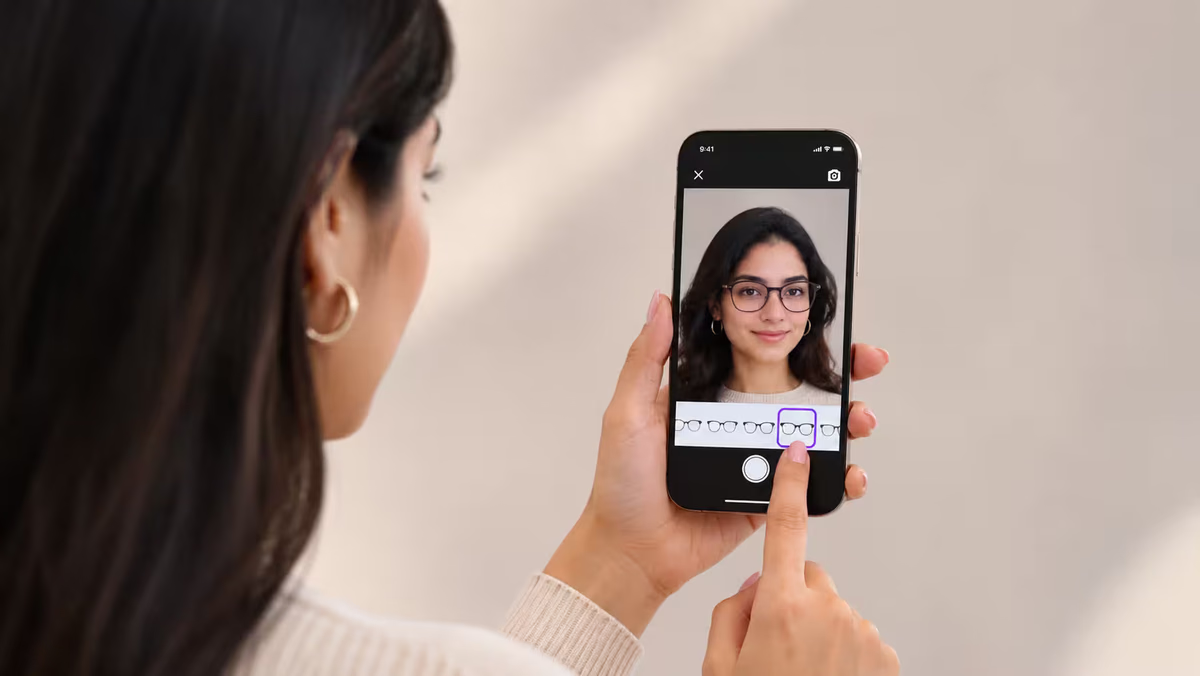
A virtual try-on platform lets shoppers preview how a product may look on them or in their surroundings. Depending on the product and implementation, the experience may use a live camera, an uploaded photo, augmented reality, 3D product assets or a personalized avatar.
These methods serve different needs. Live AR can show makeup or eyewear on a shopper’s face, while a 3D viewer lets them inspect a product from different angles. An avatar-based fitting room can add apparel size recommendations. Some platforms also support physical retail through in-store screens or smart mirrors.
Virtual try-on platforms range from broad 3D and AR commerce suites to tools built for specific needs, such as beauty shade previews, footwear visualization or apparel fit recommendations. The table compares seven platforms by their main capabilities, from Fynd GlamAR’s multi-category and in-store experiences to category-focused try-on and fitting tools.
Platform | What to explore |
Fynd GlamAR | 3D, AR and VR commerce; virtual try-on for beauty, makeup, skin, hair, nails, eyewear, jewelry, apparel, footwear, watches and luggage; home and furniture visualization; skin analysis; smart mirrors and in-store experiences |
Perfect Corp. | Beauty, eyewear, jewelry, hair and fashion accessory try-on |
Zakeke | App-free virtual try-on with 3D product customization and visual commerce |
Banuba | AR try-on for beauty, eyewear, jewelry, hair, headwear and related categories |
WANNA | AR and 3D experiences for footwear, bags, watches, scarves, jewelry and clothing |
Style.me | Apparel fitting with personalized avatars and size recommendations |
Kivisense | Live AR and photo-based try-on across clothing, shoes, bags, eyewear, watches and jewelry |
1. Fynd GlamAR
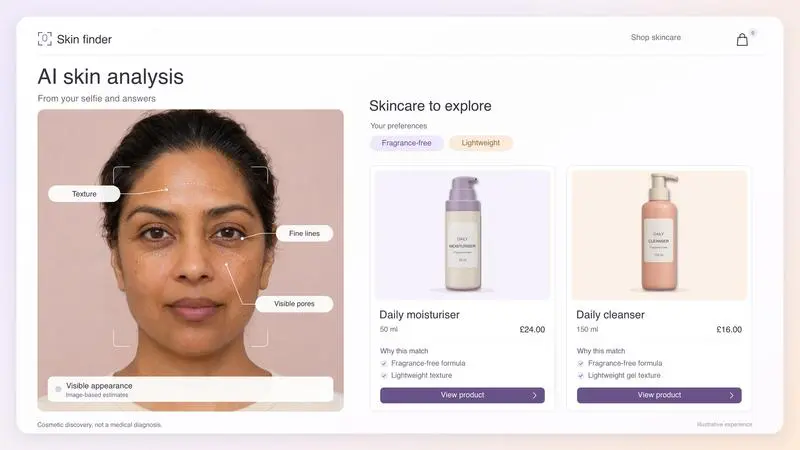
Fynd GlamAR brings 3D, AR and VR shopping experiences together for ecommerce brands and retailers. Brands can use it for virtual try-on, AI skin analysis, 3D product viewers and configurators, virtual stores and showrooms, and AR-powered ads. These experiences support categories including beauty and skincare, eyewear, jewelry, apparel, footwear, watches, luggage, furniture and home décor.
GlamAR offers flexible integration options for different commerce stacks. Product and engineering teams can use SDKs for Web, Android, iOS, React, React Native or Flutter, connect through APIs, or use plugins for platforms such as Shopify and Webflow. For physical retail, the Smart Mirror SDK supports Android-powered kiosks and smart mirrors. This lets brands add experiences to an ecommerce site or app, or bring a digital catalogue and try-on into stores.
GlamAR also gives implementation teams practical controls for delivering a smooth experience. It supports common 3D formats such as .glb and .gltf, and provides browser, camera, network and device guidance for planning and testing. Its current SDK release includes guided photo try-on, storefront-specific product catalogues, optional model preloading, and improvements to camera startup and rendering.
For security, GlamAR supports encryption in transit and at rest, role-based access and activity logs, alongside GDPR and CCPA-aligned data handling. When teams make direct API calls, they should route requests through a backend proxy and keep API keys out of website and mobile app code. Buyers can then map the integration to their own security, privacy and data-retention requirements.
Consider Fynd GlamAR if you want one modular platform for virtual try-on and broader 3D, AR and VR commerce, with integration paths for ecommerce, mobile apps and in-store smart mirrors.
2. Perfect Corp.
Perfect Corp. offers AI and AR experiences across beauty and fashion categories. Its tools include virtual try-on for makeup, hair, skin, jewelry, eyewear and fashion accessories. For eyewear, shoppers can preview frames on a product page, compare supported styles and use AI facial analysis to estimate pupillary distance for the digital preview.
Perfect Corp. provides online service options, including platform-specific integration paths. Its eyewear page lists a ready-to-use Shopify plugin and installation guidance for Wix and Squarespace. Brands considering other channels should confirm which SDK, API or in-store deployment options are available for their required use case.
3. Zakeke
Zakeke combines virtual try-on with visual product customization, 3D configuration and 3D asset management. Its try-on solution supports categories including apparel, eyewear, hats, shoes, bags and jewelry. Shoppers can launch the WebAR experience without downloading an app.
Zakeke lists integrations with ecommerce platforms including Shopify, WooCommerce, Wix, Adobe Commerce and BigCommerce. This broader visual commerce setup may suit brands that want to combine try-on with product customization and 3D configuration.
4. Banuba
Banuba provides AR software development kits and virtual try-on tools for online stores. Its documented categories include makeup, skincare, eyewear, contact lenses, hair color, headwear, jewelry, and nail polish. Brands can integrate through its SDKs or use dedicated options, including plugins for Shopify and other content management systems.
Banuba’s documentation lists Web AR, Android and iOS SDKs, along with options for in-store devices for its makeup experience. That makes it relevant to brands that need face- or hand-based try-on and want to build the experience into an existing digital or retail setup.
5. WANNA
WANNA focuses on AR and 3D experiences for fashion products. Its use cases include virtual try-on and product visualization for footwear, bags, jewelry, watches, scarves and clothing. Shoppers can preview products on themselves, inspect details in 3D and, for some experiences, share try-on links through digital campaigns and social media.
WANNA may suit fashion and luxury brands that want detailed 3D assets and product-specific experiences, particularly for footwear and accessories.
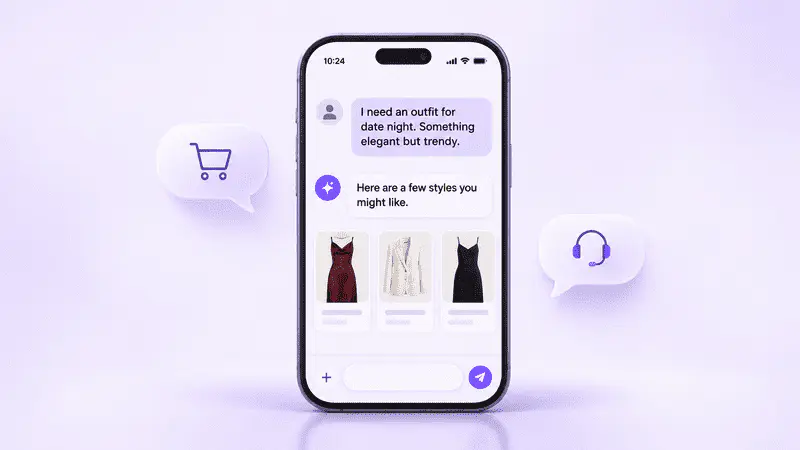
Style.me focuses on apparel fitting and styling. Shoppers can create an avatar using basic measurements and body shape selections, then receive size recommendations and visualize clothing within an online store. Its solution is designed to help customers explore both garment fit and outfit combinations as they browse.
Because Style.me centers on virtual fitting, brands should assess the garment data and setup required for size guidance. This use case differs from face-based AR experiences that primarily show how makeup or eyewear may look.
7. Kivisense
Kivisense offers virtual try-on for clothing, shoes, bags, eyewear, watches and jewelry. Its technologies include live AR try-on, AI photo try-on and 3D rendering. The company also describes ecommerce integrations and support for camera-equipped devices such as desktops, tablets and mobile phones.
Kivisense may suit retailers looking for several try-on formats across multiple fashion and accessory categories. During evaluation, test category-specific asset requirements and performance on the devices your customers use.
Start with the products shoppers need to visualize, then match the technology and integration model to that use case.
Match the experience to the product. Beauty and eyewear often use face-based AR, while apparel fitting may need body measurements or an avatar. For furniture and home décor, shoppers need to place products in their own surroundings.
Separate visual try-on from fit guidance. A product overlay can help shoppers judge appearance, but it does not automatically confirm garment fit or sizing. If fit recommendations matter, ask how the platform uses measurements, size charts and garment data.
Check your sales channels. Confirm whether the platform supports your ecommerce site, mobile app, social campaigns and physical stores. For smart mirrors or in-store screens, ask about hardware requirements, catalogue access and how shoppers complete a purchase.
Understand product asset requirements. Ask whether your catalogue needs 3D models, product images, measurements or other data. Confirm who creates, optimizes and updates those assets as you add products or variants.
Review the integration and credential model. Identify whether you need a plugin, SDK or API. For API integrations, check how credentials are stored, which systems need access and whether requests pass through your backend.
Test real devices and network conditions. Camera access, lighting, browser support, GPU performance and asset load times all affect the shopper experience. Test representative products on the devices and connections your customers use.
Run a measured pilot. Track try-on engagement, product-page actions, add-to-cart activity and returns for the pilot products. This helps your team assess the experience with its own catalogue and customers.
How brands can get started with Fynd GlamAR
Start by selecting the product categories and sales channels where a virtual experience will help customers make a decision. An eyewear brand might begin with frame try-on on product pages, while a retailer could test an in-store mirror or use 3D product views across its catalogue.
Next, choose the integration route. GlamAR’s documentation lists SDKs for Web, Android, iOS, React, React Native and Flutter, plus plugins for Shopify and Webflow. A custom API integration is also available. For SDK use, the access token initializes the SDK; direct API calls use a separate API key, which GlamAR says should remain on your backend and not in client-side code.
Then prepare the product catalogue and assets. GlamAR recommends .glb or .gltf files for 3D models, under 10 MB each, and documents browser, camera, network and device requirements. For a smart mirror or kiosk, confirm the Android device, camera, display, lighting and network setup before deployment. Its documentation notes that in-app browsers such as Instagram, Facebook and TikTok WebViews are not supported for AR camera experiences, so test the browser customers will actually use.
Once the experience is live, use analytics and product interactions to see which categories and products attract engagement. Start with a defined catalogue and customer journey, then expand to more products, channels or modules as your team validates the experience. Talk to the Fynd GlamAR team to discuss the integration path for your ecommerce and retail setup.