At a busy loading dock with delivery trucks, a woman logistics planner with a tablet talks to a male driver beside an open truck
Fynd ERP

Move every shipment on time and on budget

Plan, dispatch, track and settle deliveries in one place, from linehaul to the last mile, with freight cost tied to each order.

Transport from first mile to last

Your own fleet, your carriers and your riders, planned and tracked together.

Demand intake

Bring in delivery demand from orders, files or the API, checked against serviceable areas.

Planning and dispatch

Build dispatch plans with allocation rules and route optimisation, then release trips.

Carriers

Manage carriers, their serviceability and scorecards, and pick the right one for each load.

Fleet and trips

Plan trips on your own vehicles with equipment types and capacity calendars.

Linehaul and hubs

Run scheduled linehaul between hubs with handling units and custody scans.

Riders and last mile

Give riders an app for their runs, track performance and settle payouts.

Live tracking and exceptions

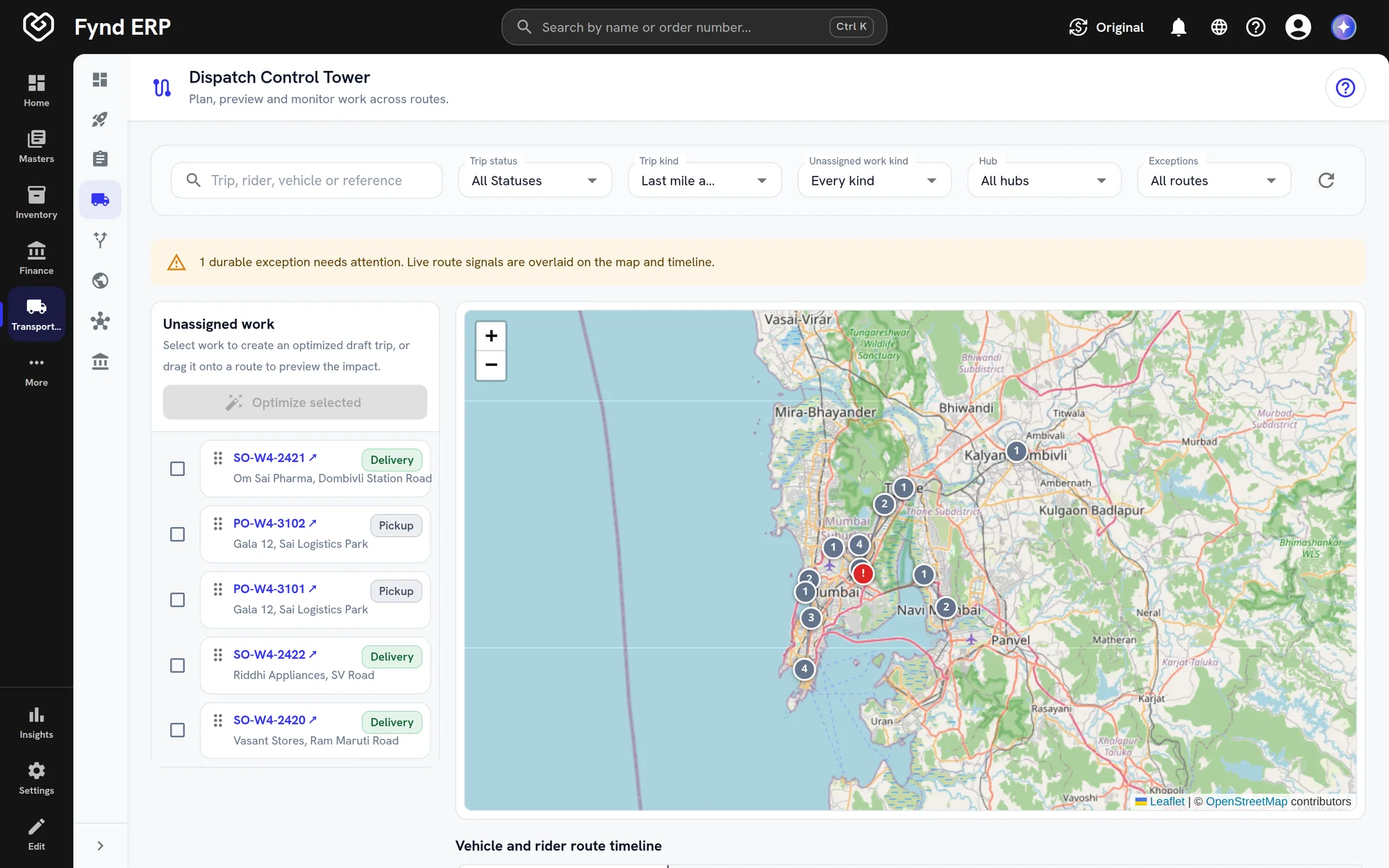
Follow every trip on a control tower and act on delays and failed deliveries.

Proof of delivery and COD

Capture proof of delivery to your policy and reconcile cash on delivery (COD).

Freight audit

Check carrier invoices against agreed charges, handle claims and disputes, and add freight to landed cost.

Who it's for

Planners, finance and riders work from the same trips.

Logistics head

  • Every active trip on one control tower
  • Carrier scorecards and analytics
  • Freight cost tied to each order

Dispatch planners

  • Demand from orders, files or the API
  • Allocation rules and route optimisation
  • Release trips to fleet, carriers or riders

Freight and finance team

  • Carrier invoices checked against agreed charges
  • Claims and disputes before payment
  • Cash on delivery (COD) reconciled in IDR (rupiah)

Riders

  • An app for each run
  • Proof of delivery captured to your policy
  • Payouts settled from completed runs

See the screens your logistics team will use

Real screens from Fynd ERP, shown with demo data for a fictional business.

Every trip with its rider, vehicle and progress. Open one to see each stop, its delivery status and the route on a map.

  • Planned, in progress, completed and failed stops at the top
  • Rider, vehicle, planned distance and stops visited
  • Stop by stop status with arrival and departure times

A day in transport

Follow one delivery from the packed order to settled freight. Each step happens in Fynd ERP.

  1. Warehouse Management

    An order is packed

    The warehouse packs the order and it becomes delivery demand, checked against serviceable areas.

  2. Transport Management

    It is planned

    The planner builds a dispatch plan with allocation rules and route optimisation.

  3. Transport Management

    A trip is released

    The load goes to your own vehicle, a carrier or a rider.

  4. Transport Management

    It is tracked live

    The control tower follows the trip and flags delays and failed attempts.

  5. Transport Management

    It is delivered

    The rider captures proof of delivery and collects cash on delivery where the order needs it.

  6. Customer Communications

    The customer hears

    Delivery updates reach the customer through your connected channels.

  7. Finance and Accounting

    Freight is settled

    The carrier invoice is audited against agreed charges and posts to the ledger.

Transport management features in detail

The parts of transport teams ask about most.

Route optimisation and dispatch planning

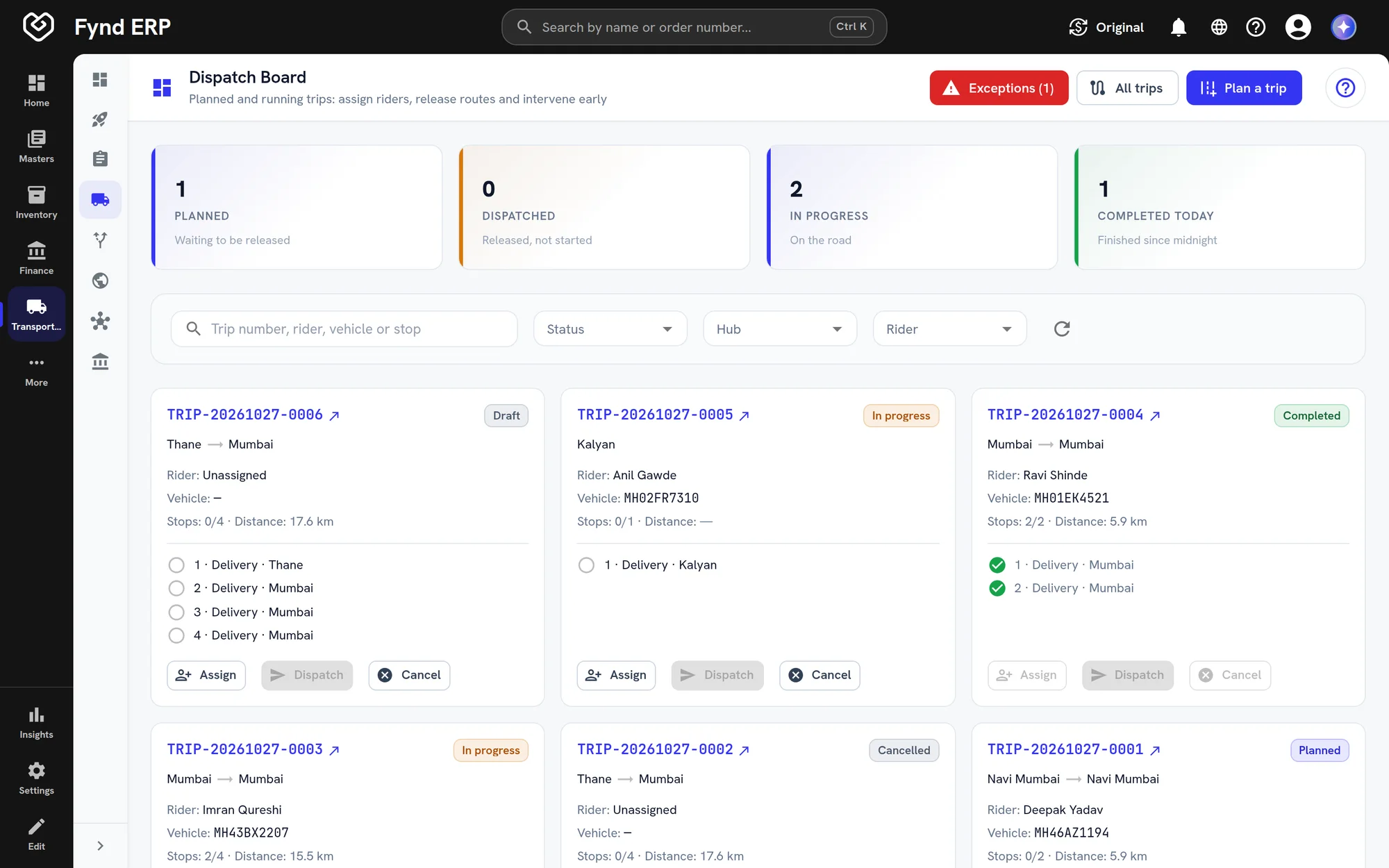
Turn open demand into planned trips using allocation rules and route optimisation. Planners can preview a replan before releasing trips to fleet, carriers or riders.
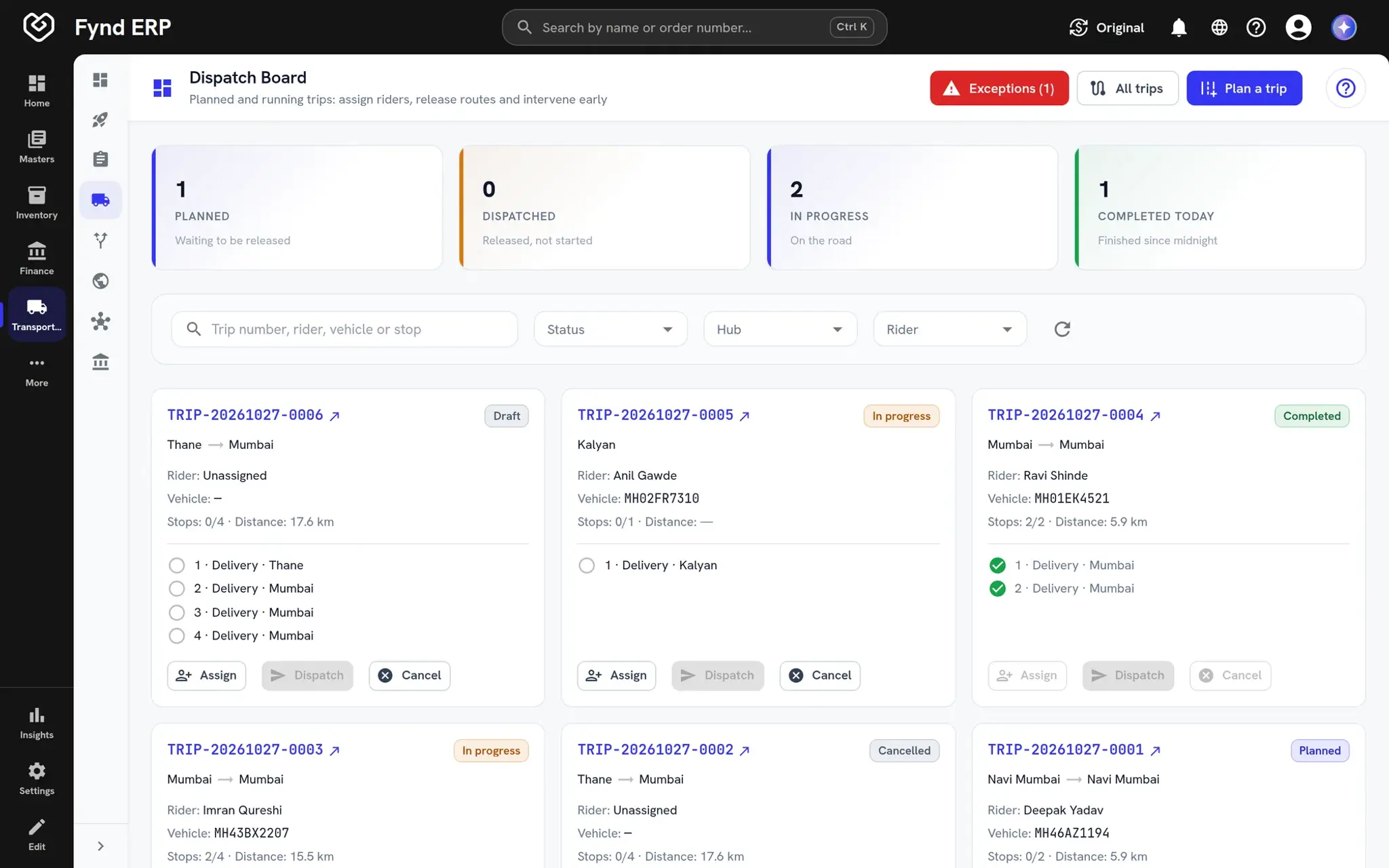
  • Allocation rules decide who takes each load
  • Route optimisation with a replan preview
  • Release to fleet, carriers or riders
Fynd ERP dispatch board with planned and running trips

Proof of delivery

Riders capture proof of delivery to the policy you set. Failed attempts are recorded as exceptions so they can be followed up and reattempted.

  • Proof of delivery policies you configure
  • A proof record for each delivery
  • Exceptions and reattempts for failed deliveries

Freight audit

Carrier invoices are checked against agreed charges before they are paid. Differences become disputes or claims, and accepted freight adds to landed cost.

  • Charge trace for each shipment
  • Disputes and claims
  • Freight added to landed cost

Cash on delivery reconciliation

Cash collected by riders is tracked against each delivery and reconciled in IDR (rupiah). Rider payouts are settled from completed runs.

  • Cash tracked per delivery
  • Remittance and reconciliation
  • Rider payouts

Transport is wired to the rest of the business

Shipments start from real orders and end in real invoices.

Warehouse Management

Packed orders and manifests hand straight over to trips and carriers.

Commerce and POS

Store and online orders become delivery demand automatically.

Finance and Accounting

Freight charges, carrier invoices and cash on delivery post to the ledger.

Procurement

Inbound freight adds to the landed cost of what you bought.

Customer Communications

Customers hear about delivery updates and failed attempts.

Field Operations

Field vehicles and repair visits share the same fleet records.

Frequently asked questions

Demand intake, dispatch planning with route optimisation, carriers, fleet and trips, linehaul and hubs, a rider app, live tracking, proof of delivery, cash on delivery and freight audit.

Yes. Trips can run on your own vehicles, with carriers or with riders, and allocation rules decide who takes each load.

Yes. Riders get an app for their runs, and you can track their performance and settle payouts.

Freight audit compares carrier invoices with agreed charges, so you can raise claims or disputes before paying.

Live tracking follows each trip, and customer updates go out through Customer Communications.