In a large modern warehouse aisle with tall racks, a male warehouse associate in a light grey jacket scans a pallet while a woman supervisor watches a forklift move
Fynd ERP

Run every dock, aisle and bin from one system

Receive, store, pick, pack and ship with your team guided step by step, while stock and orders update as the work happens.

Warehouse operations, end to end

From the inbound dock to the outbound truck, for your own stock or your clients'.

Inbound and putaway

Receive against expected shipments, label pallets and cartons, and put stock away to the right bin.

Waves and picking

Group orders into waves and guide pickers to the right bin with assisted picking.

Packing and shipping

Pack orders, print labels and hand over to carriers with manifests.

B2B and B2C orders

Handle bulk business orders and single-item consumer orders from every sales channel.

Barcodes and license plates

Track pallets and cartons by license plate and scan every move on handheld devices.

Returns

Receive returns, check them and put good stock back on the shelf.

Kitting, cross-dock and sortation

Build kits, move stock straight from inbound to outbound and sort parcels by route.

Labour and equipment

See team workload and productivity, and keep track of warehouse equipment.

3PL billing

Run warehouses for clients with billing contracts, rate tiers and a client portal.

Who it's for

Each person on the floor gets the tasks and the view they need.

Warehouse manager

  • Tasks, waves and stock by bin in one place
  • Labour and equipment in view
  • A warehouse twin of zones and bins

Inbound team

  • Receive against expected shipments
  • Label pallets and cartons with license plates
  • Putaway guided by your strategies

Pickers and packers

  • Assisted picking to the right bin
  • Every move scanned on a handheld
  • Pack, label and manifest in one flow

3PL account managers

  • Billing contracts and rate tiers per client
  • Surcharges on top of standard rates
  • A portal where clients see their stock

See the screens your warehouse team will use

Real screens from Fynd ERP, shown with demo data for a fictional business.

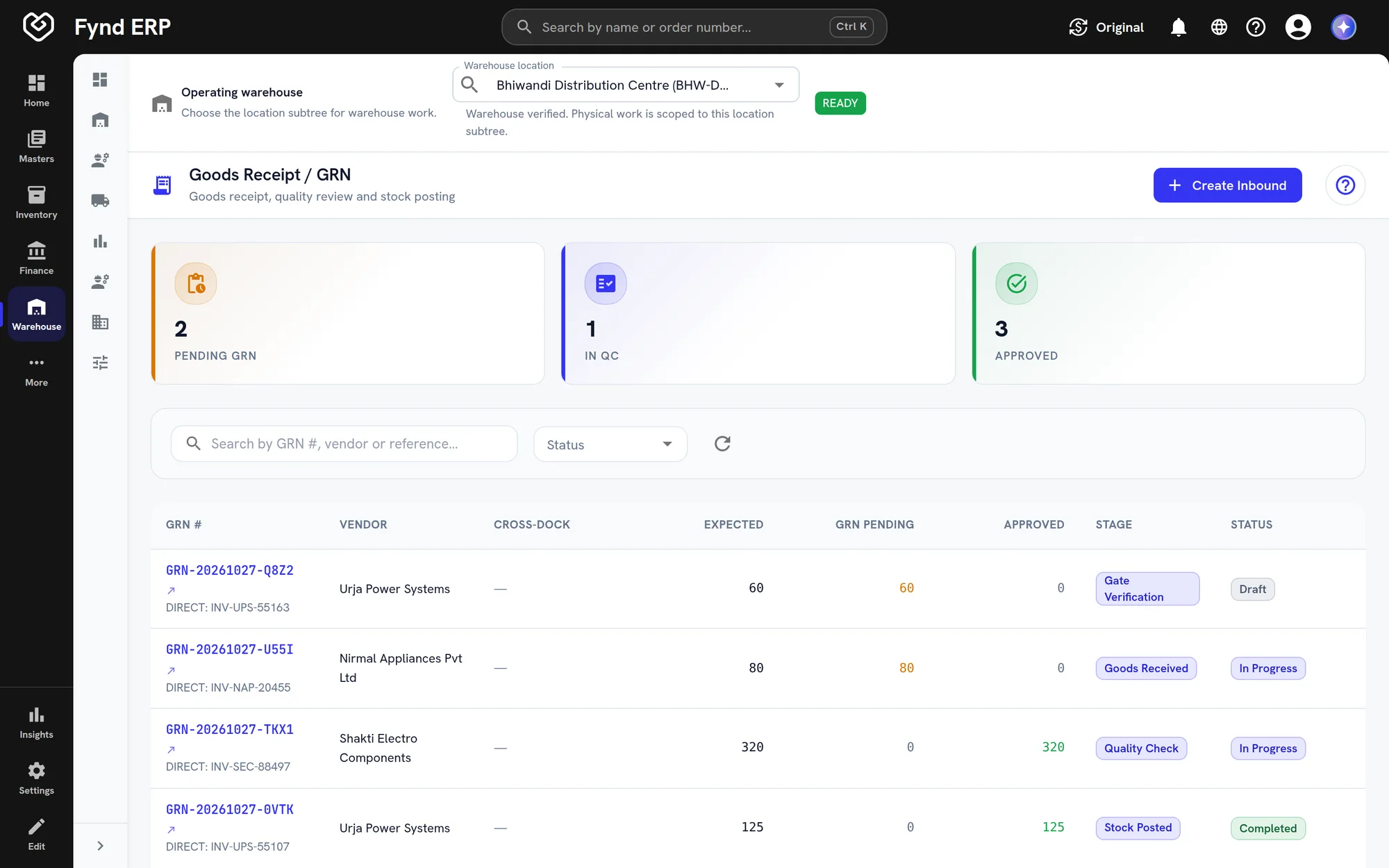
Open a warehouse order to see where it is in its lifecycle, who it is for and what has been allocated and picked.

  • Lifecycle from order created to delivered
  • Channel, stream, priority and SLA on every order
  • Ordered, allocated and picked quantity per line

A day in the warehouse

Follow one order from the moment it lands to the truck. Stock and orders update as the work happens.

  1. Commerce and POS

    An order arrives

    An online order comes in from a sales channel and joins the order stream.

  2. Warehouse Management

    It joins a wave

    The order is grouped into a pick wave with others and released as pick tasks.

  3. Warehouse Management

    It is picked

    A picker is guided bin by bin on a handheld and scans each item.

  4. Warehouse Management

    It is packed

    The order is packed, labelled and added to a load manifest.

  5. Inventory

    Stock updates

    Each pick reduces the same stock record that buyers and planners see.

  6. Transport Management

    It leaves on a trip

    The manifest hands over to a carrier or rider for delivery.

Warehouse management features in detail

The parts of warehouse operations teams ask about most.

Wave picking

Group orders into waves and release them as pick tasks to handheld devices. Pickers are guided to the right bin and every pick is scanned.

  • Compose and plan pick waves
  • Assisted picking bin by bin
  • Put wall sortation for multi item orders

Putaway and slotting

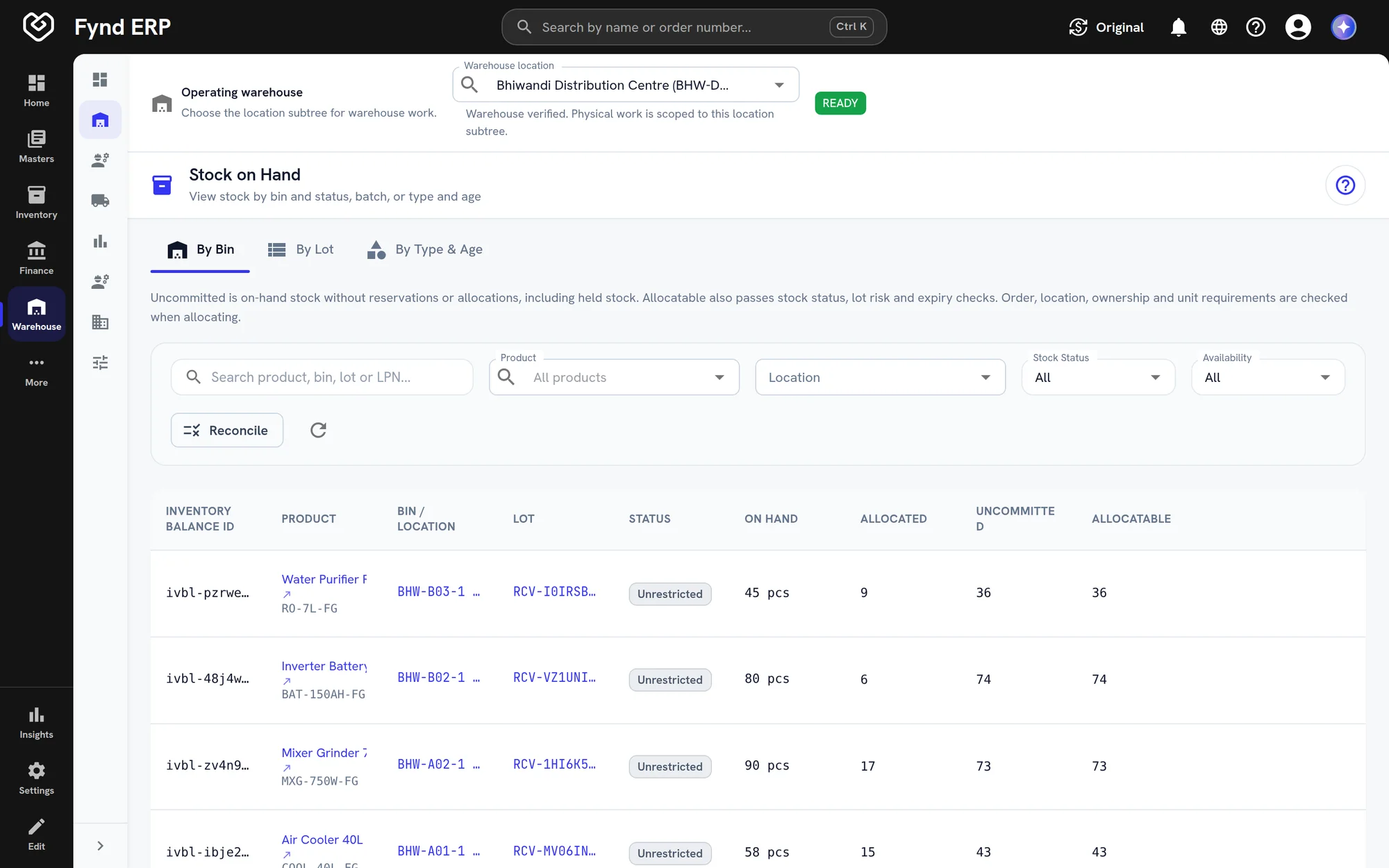
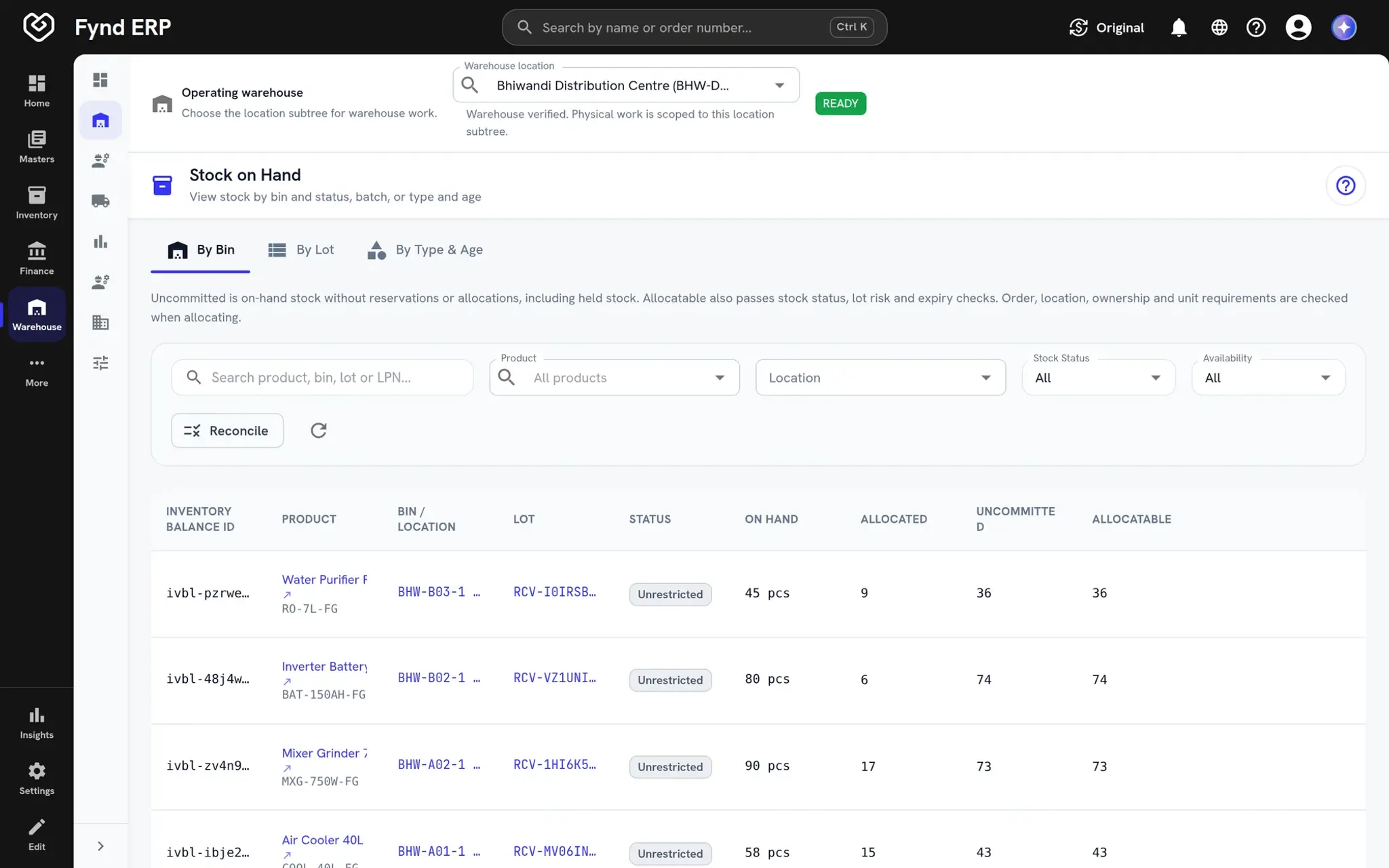
Received stock is put away to the right bin using strategies you configure. Slotting and replenishment keep pick faces stocked as demand changes.
  • Putaway strategies and ad hoc putaway
  • License plates for pallets and cartons
  • Slotting and replenishment tasks
Fynd ERP stock on hand by bin after putaway, with lots and allocatable quantity

Cross-docking and kitting

Move stock straight from inbound to outbound without putting it away, and build kits from component items. Sortation groups parcels by route before they leave.

  • Cross-dock from inbound to outbound
  • Kits built from components
  • Parcel sortation by route

3PL warehouse billing

Run warehouses for other businesses with a billing contract for each client. Rate tiers and surcharges turn warehouse activity into client charges that post to the ledger.

  • Billing contracts and rate tiers
  • Surcharges per client
  • Client portal for stock and orders

The warehouse is wired to the rest of the business

Work on the floor updates stock, orders, shipments and invoices directly.

Inventory

Putaway, picks, counts and adjustments keep stock balances current.

Procurement

Inbound shipments and receipts start from purchase orders.

Transport Management

Packed orders hand over to carriers and trips with manifests.

Commerce and POS

Orders from stores, web and marketplaces arrive ready to pick.

Finance and Accounting

3PL billing posts to the ledger through mapped accounts.

Reporting

Warehouse analytics read the same live tasks and stock.

Frequently asked questions

Inbound and putaway, waves and picking, packing and shipping, B2B and B2C orders, license plates and barcodes, returns, kitting, cross-dock, sortation, labour and equipment, and 3PL billing.

Yes. Pallets, cartons and bins are tracked by barcode and license plate, and moves are scanned on handheld devices.

Yes. 3PL operations are supported with client billing contracts, rate tiers, surcharges and a client portal.

Yes. Bulk business orders and single consumer orders are handled side by side, from every sales channel.

Yes. Warehouse tasks update the same inventory record, so balances are always current.