In a calm engineering office, a woman developer and a male colleague discuss a system diagram on a large monitor
Fynd ERP

Connect the systems you already run

Keep your other systems in step with ready connectors, versioned webhooks and file exchange, without a pile of scripts in between.

Every connection in one place

Set up, schedule and watch your integrations from the same console.

Existing ERP connectors

Sync stock and locations, write back receipts and post supplier invoices to the ERP you already use.

Versioned webhooks

Subscribe to business events from a governed catalogue. Each payload version is fixed, so your receivers never break.

Reliable delivery

Deliveries retry on failure, park in a dead letter queue when they cannot land and keep a full log.

Scheduled syncs

Run connector jobs on a schedule and see each run's result.

Bank files

Send payment batch files to your bank over SFTP and keep the files for audit.

Carriers

Work with carriers through a carrier portal, EDI messages and vehicle telematics.

Machines and devices

The edge client connects shop floor machines over serial, Modbus, OPC UA, MQTT, S7 and more.

Marketplace channels

Publish your catalogue to marketplace channels from product information.

Customer data destinations

Send customer events to analytics and messaging tools through plugins.

Who it's for

The people who connect systems and the people who rely on them see the same setup and the same logs.

IT and integration lead

  • Every connector, webhook and feed in one console
  • Scheduled syncs with each run's result
  • Retries and a dead letter queue when a delivery fails

Developers

  • Versioned event payloads that do not change under you
  • Signed webhook deliveries
  • Custom APIs when no connector fits

Finance team

  • Payment files sent to the bank over SFTP
  • Invoices posted to the ERP you already run
  • Files kept for audit

Operations and plant teams

  • Machines connected through the edge client
  • Carriers linked by portal, EDI and telematics
  • Stock and locations in step with other systems

See the screens your team will use

Real screens from Fynd ERP, shown with demo data.

Send business events to other systems, with the events chosen per endpoint, scope and active status.

  • Pick events per endpoint
  • Organisation or plant scope
  • Retries with backoff

A day in integrations

Follow one supplier invoice out to the systems around you. Each step starts in Fynd ERP.

  1. Procurement

    An invoice is matched

    A supplier invoice is matched to its order and goods receipt.

  2. Integrations and Connectors

    An event is published

    The match publishes a versioned business event from the catalogue.

  3. Integrations and Connectors

    A webhook delivers it

    A webhook sends the signed event to the receiving system.

  4. Integrations and Connectors

    A failure is retried

    When the receiver is down, the delivery retries and lands in the dead letter queue if it still fails.

  5. Integrations and Connectors

    The existing ERP is updated

    The connector posts the invoice to the ERP you already use.

  6. Finance and Accounting

    The bank gets paid

    The payment run sends its batch file to the bank over SFTP.

Integration features in detail

The parts of integration teams ask about most.

Versioned webhooks

Subscribe each endpoint to the business events it needs from a governed catalogue. Every payload version is fixed once it ships, so a change never breaks a receiver without warning.

  • Events chosen per endpoint
  • Organisation or plant scope
  • Signed deliveries with a shared secret

Retries and dead letter queue

Failed deliveries retry with exponential backoff. If one still cannot land it is parked in a dead letter queue, and the delivery log shows every attempt.

  • Retry policy per webhook
  • Dead letter queue for failed deliveries
  • Delivery counts, success rate and latency

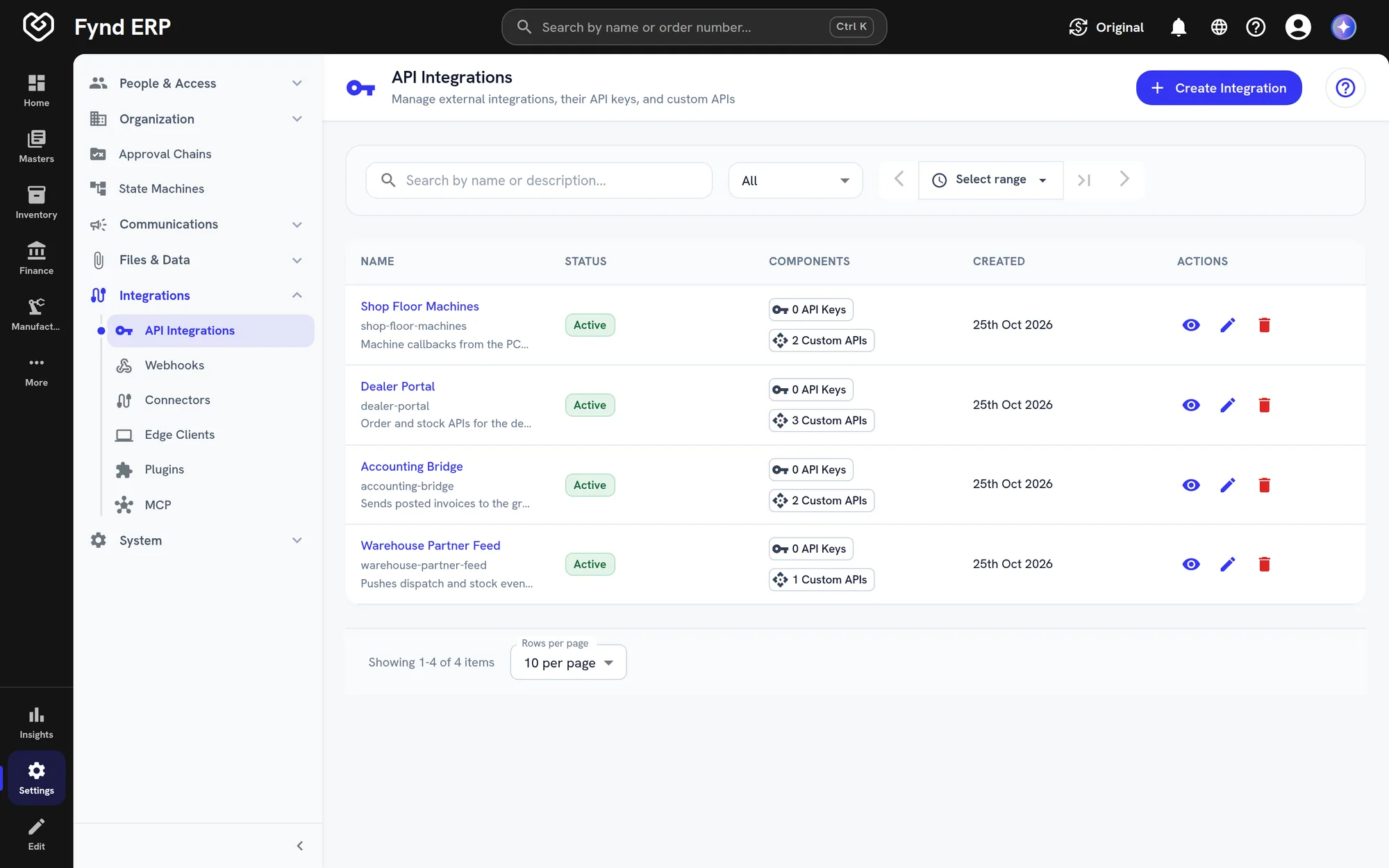
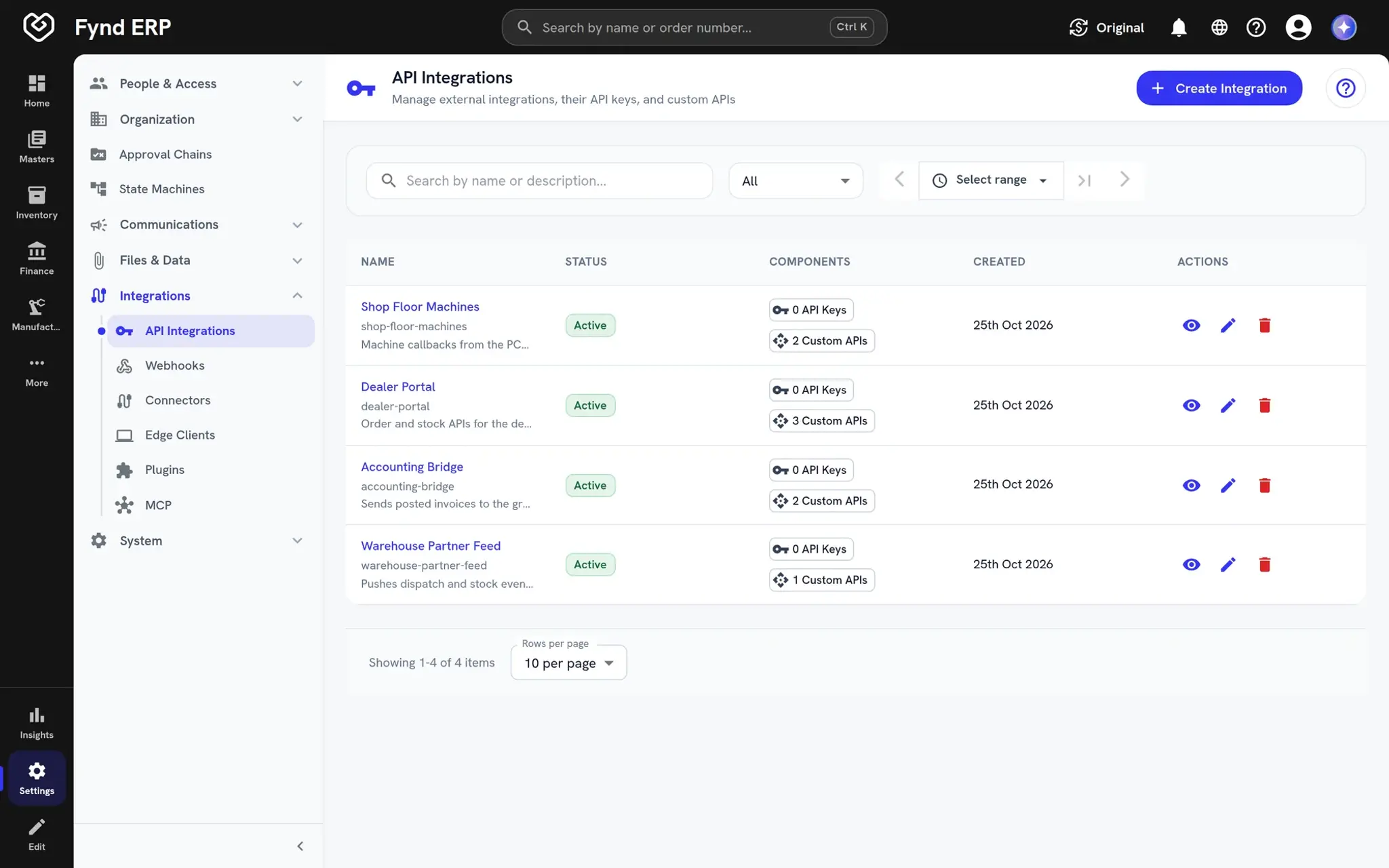
Existing ERP connectors

Run Fynd ERP next to the ERP you already have. Connectors sync stock and locations, write back receipts and post supplier invoices on a schedule.
  • Stock and location sync
  • Receipts and invoices written back
  • Scheduled runs with results
Fynd ERP API integrations list with statuses and components

Machine connectivity

The edge client connects shop floor machines to the ERP over industrial protocols. Readings and results flow straight into production records.

  • Serial, Modbus, OPC UA, MQTT and S7
  • Runs at the station on the shop floor
  • Feeds manufacturing directly

Integrations serve every module

Each module's events and records can flow out, and outside data can flow in.

Finance and Accounting

Payment files go to banks and invoices post to existing ERPs.

Inventory

Stock and locations stay in sync with your other systems.

Transport Management

Carriers exchange shipments, invoices and tracking.

Manufacturing

Machines feed the shop floor through the edge client.

Product Information

Catalogues publish to marketplace channels.

Custom APIs

When no connector fits, build your own endpoint.

New

New in integrations

Recently added to this module.

  • Marketplace connectors

    Fynd Konnect channels brought into the ERP.

Frequently asked questions

Yes. Connectors sync stock and locations, write back receipts and post invoices to an existing ERP.

No. Each event payload version is fixed once it ships. Changes come as a new version, and you choose when to move.

It retries. If it still cannot land it goes to a dead letter queue, and the log shows every attempt.

Yes. The edge client connects to machines over industrial protocols such as Modbus, OPC UA, MQTT and S7.

Use webhooks and Custom APIs to build the connection you need on the same platform.