In a collaborative workspace, a small team of three stands around a whiteboard planning tasks with sticky notes
Fynd ERP

Plan the work and see where it stands

Break projects into work items, link what depends on what, log time against the work and give every team a view that fits how they work.

Everything a project team needs

Simple enough for a small team, structured enough for many projects at once.

Projects and work items

Create projects and break them into work items with owners, status and priority.

Milestones and dependencies

Set milestones and link work items that must finish before others can start.

Workflows

Shape the stages each project moves through to match how your team works.

Timesheets

Log time against work items and review timesheets by person and project.

Templates and recurring work

Start new projects from templates and repeat routine work on a schedule.

Custom fields and saved views

Add the fields you need and save views for each team.

Comments and activity

Discuss work on the item itself and see a full activity trail.

Due date reminders

Reminders go out before work is due, so nothing slips quietly.

Access and user groups

Control who sees and edits each project with user groups.

Who it's for

Project leads, team members and managers each get a view that fits their work.

Project leads

  • Milestones and dependencies on a Gantt timeline
  • Board, list and calendar views
  • Reminders before work is due

Team members

  • Their work items across projects
  • Log time in a weekly grid or with a timer
  • Comments on the work item itself

Department heads

  • Saved views for each team
  • Member capacity against logged hours
  • Templates for repeat projects

Admins

  • Workflows that match each team
  • Custom fields where they are needed
  • Access by user group

See the screens your team will use

Real screens from Fynd ERP, shown with demo data for a fictional company.
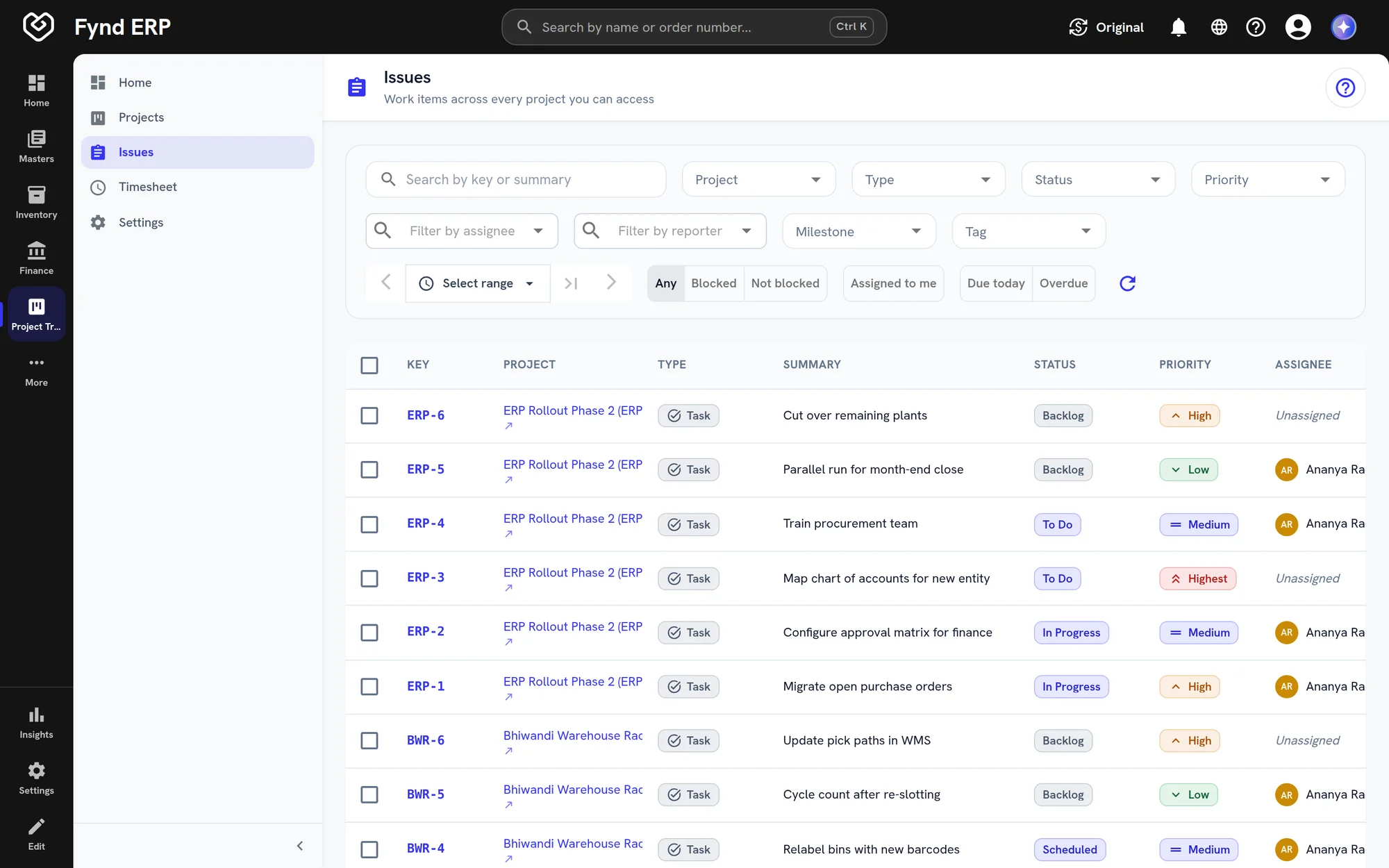
Fynd ERP work items list across projects with status, priority and assignee

Every task across projects with type, status, priority and assignee, with filters and bulk actions.

  • Filter by project, status and assignee
  • Priority on every item
  • Bulk assign and transition
Fynd ERP work items list across projects with status, priority and assignee

A week in projects

Follow one plant expansion project from the plan to the report.

  1. Projects

    The project is set up

    A line expansion project starts from a template with its stages and first work items.

  2. Projects

    The plan takes shape

    The lead sets milestones and links the work items that depend on each other.

  3. Projects

    Work is assigned

    Each work item gets an owner, a priority and a due date, and reminders go out before it is due.

  4. Service Desk

    A ticket is linked

    A support ticket about the old line is linked to the work item that fixes it.

  5. Projects

    Time is logged

    The team logs hours in the weekly timesheet or with a timer.

  6. Reporting

    Progress is reported

    Progress, effort and overdue work show up in reports across projects.

Projects features in detail

The parts of project management teams ask about most.

Gantt chart and dependencies

See work items on a timeline with milestones, and link the items that must finish before others can start. Drag a bar to reschedule when plans change.

  • Day, week and month scales
  • Milestone markers on the timeline
  • Dependencies between work items

Boards, lists and calendars

Move work across a board by stage, or work from a list or a calendar. Save the views each team uses most.
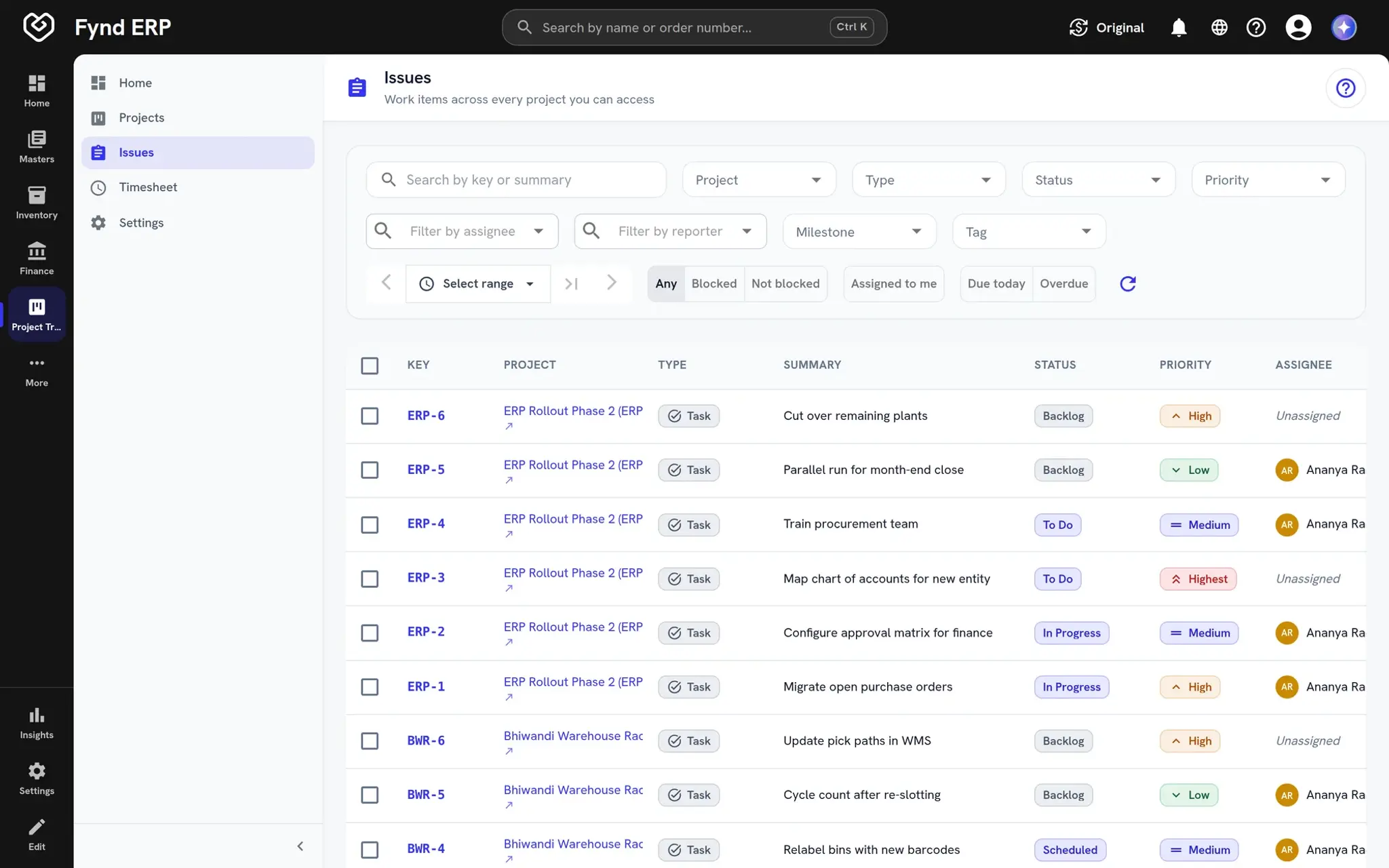
  • Board columns follow your workflow
  • List view with filters and bulk actions
  • Saved views and custom fields
Fynd ERP work items list across projects with status, priority and assignee

Timesheets and time tracking

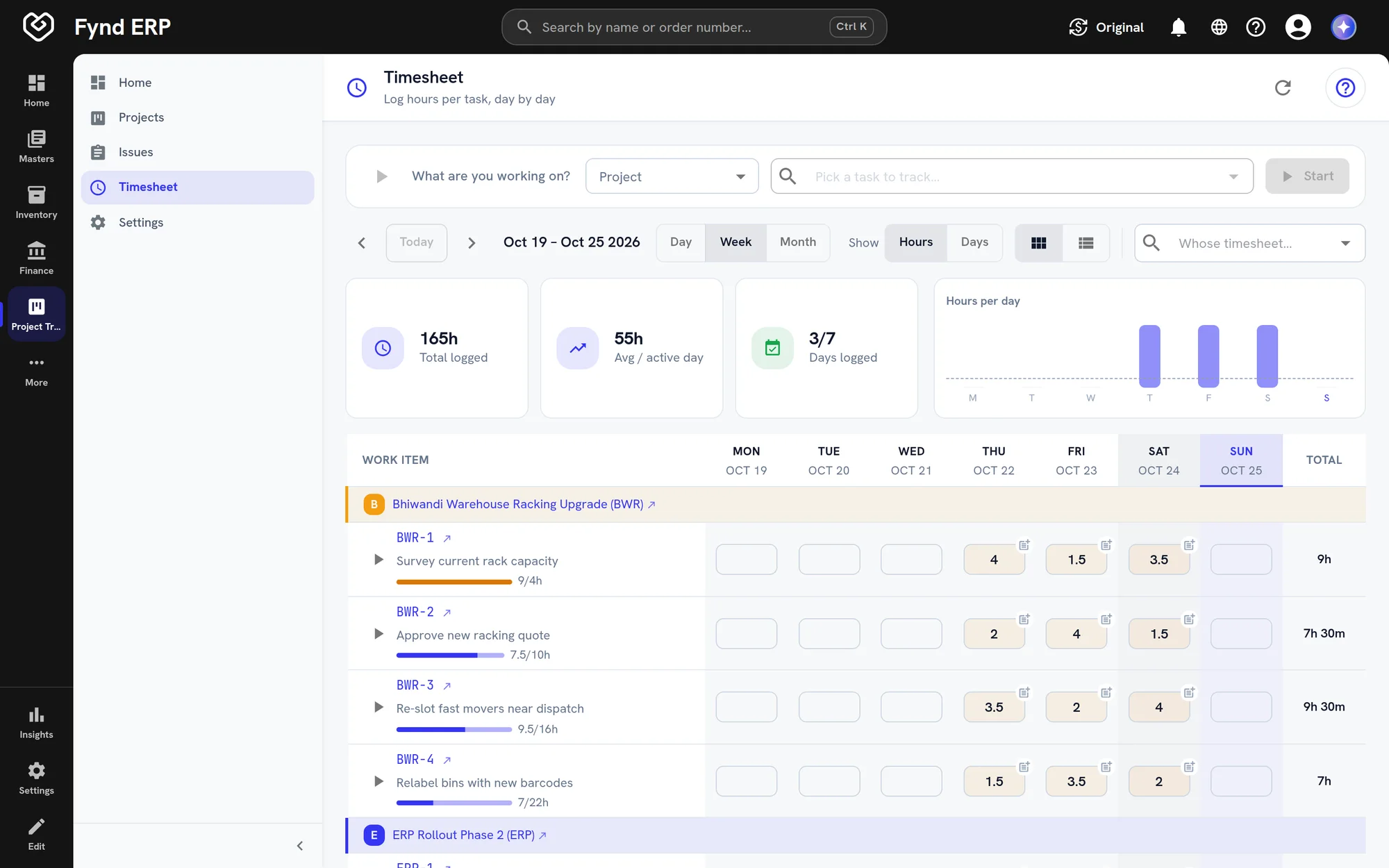
Log hours per work item for each day of the week, or start a timer from any task. Set member capacity and review timesheets by person and project.
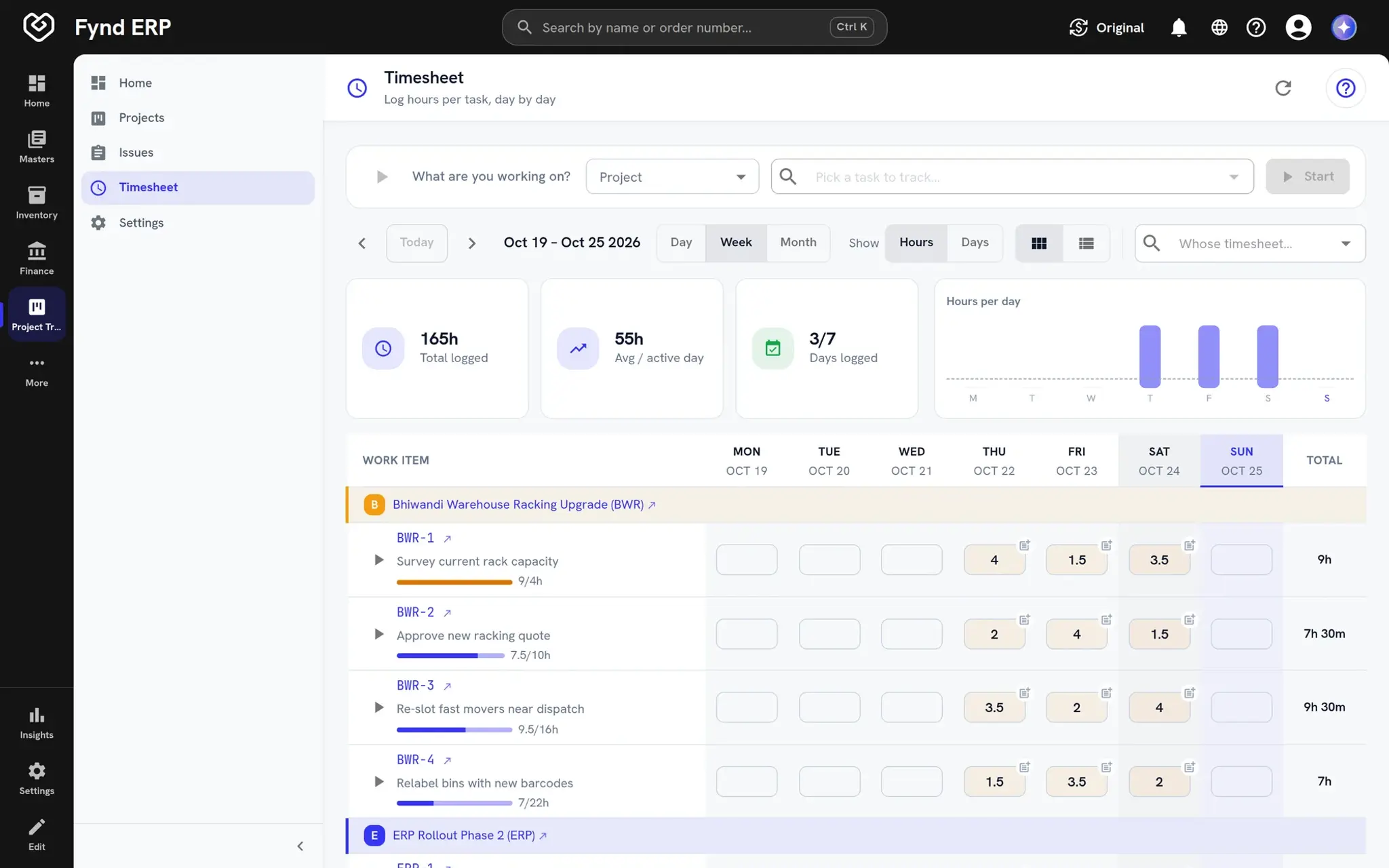
  • Weekly grid by work item
  • Start and stop timers
  • Copy last week to save time
Fynd ERP weekly timesheet with hours logged per work item

Templates and recurring work

Start new projects from templates so every project of a type begins the same way. Routine work repeats on a schedule without anyone recreating it.

  • Project templates
  • Recurring work items
  • Due date reminders

Projects connect to the rest of the business

The people, tickets and documents behind a project are already in the ERP.

HR and Payroll

Project members and their time come from the same people records.

Service Desk

Link support tickets to the project work that fixes them.

Documents

Keep plans, specs and sign-offs next to the project.

Workflow and Automation

Trigger approvals and alerts when work changes stage.

Customer Communications

Send updates and reminders through one channel.

Reporting

Report on progress, effort and overdue work across projects.

Frequently asked questions

Projects and work items, milestones and dependencies, workflows, timesheets, templates and recurring work, custom fields and saved views, comments, due date reminders and access control.

Yes. People log time against work items and timesheets can be reviewed by person and project.

Yes. Start new projects from templates and set routine work to repeat on a schedule.

Yes. Teams can add custom fields and save the views they use most.

Yes. Support tickets can be linked to project work items.