If you manage more than just a few stores, choosing a POS system is no longer simply a billing decision. It impacts whether your stores can share stock information, if customers are recognized across different channels, and how smooth or painful - your next 20 store openings will be.
This guide offers an easy way to compare modern POS systems. You'll get a scorecard you can use with any vendor, guidance on the proof to request, a rollout plan, and key commercial questions that are often overlooked. We’ll also explain where Fynd POS fits in and where it might not.
What a POS needs to do in 2026
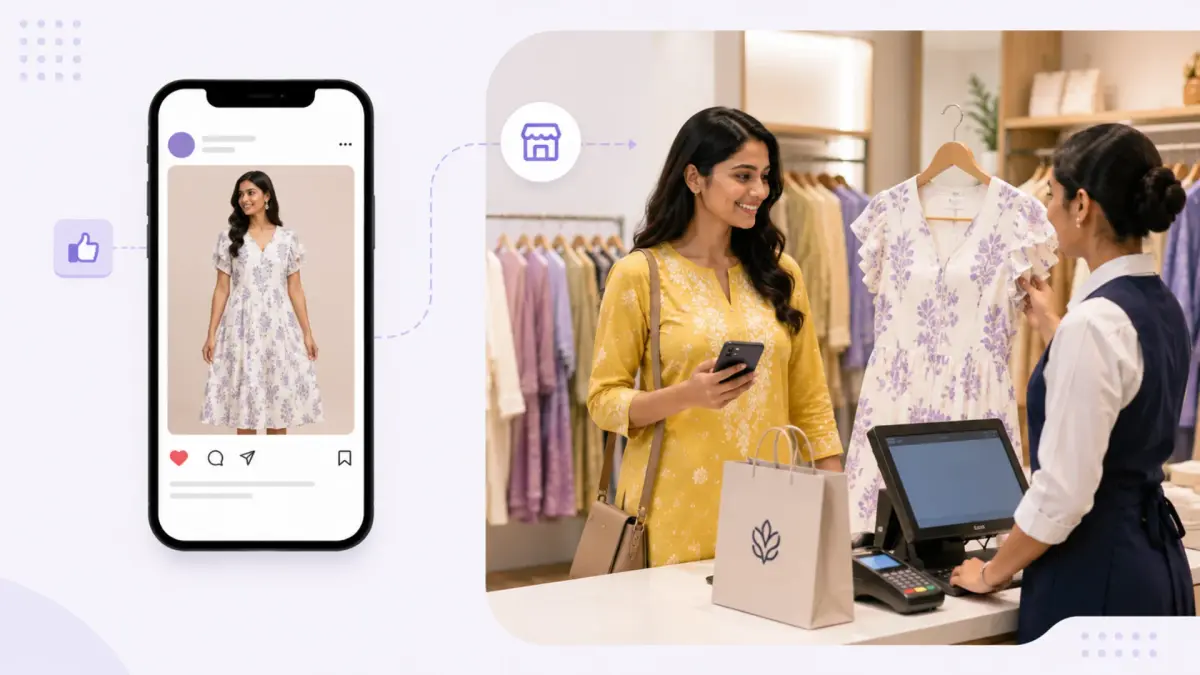
Think about how your customers shop today. They spot a brand on an Instagram reel, check prices on your website while in a cab, visit the store to feel the fabric, and expect home delivery by evening from whichever store has the item.
A POS that’s only designed to scan, bill, and print receipts can’t keep up with that pace. A modern POS acts more like a car dashboard than a simple cash register. It shows live stock levels, customer history, returns and online orders all on one screen - so your store team can make smart decisions instantly.
Why multi-store chains feel the gap first
With one store, the owner sees everything. With 10, 50 or 200 stores, that view disappears. Three problems show up again and again.
The invisible stockout
A customer asks for a dress in size M at your Mumbai store. The staff checks the rack and says it’s out of stock. Yet, your Pune store has three on clearance shelves. The stock exists, and the customer is right there—but the stores can’t see each other, so the sale is lost.
Customers feel like strangers every time
Someone buys on your website, chats with you on WhatsApp, then walks into your Delhi store. If your POS doesn’t recognize them, you miss the chance to recommend something relevant.
Every new store starts from scratch
Without shared billing, tax rules, and processes, each new store opening is a fresh setup. The customer experience changes from store to store.
The scorecard: how to compare any modern POS
Use this table with every vendor on your shortlist, including us. The weights are a starting point. Change them to match your business. A chain with a strong online channel may weigh omnichannel higher, and a franchise-heavy chain may weigh integrations higher.
What to evaluate | Suggested weight | What to check | What good looks like |
Inventory visibility | 15 | Can staff see stock across stores and warehouses, by size, colour and variant? How fast does it update after a sale? | Near real-time stock, variant-level, with store-to-store transfers inside the same system |
Omnichannel orders and returns | 15 | Buy online and return in store, pick up in store, ship from store, sell out-of-stock items from another location | All of these work without a separate tool or manual workaround |
India compliance | 15 | GST across states, e-invoicing, e-way bills, tax rules by product | Native support, tested with your own tax set-up |
Integrations | 12 | Connectors or APIs for your ERP, accounting tool (such as SAP or Tally), CRM and payments | Open APIs plus ready connectors, and clarity on who builds and pays for custom work |
Speed and reliability | 12 | Checkout time at peak, behaviour when the internet drops, uptime commitments | Fast billing in a live store, a clear offline plan, and an uptime SLA in writing |
Customer profile and loyalty | 10 | One profile across store, web and WhatsApp. Loyalty and offers at the counter | Staff see purchase history while billing |
Rollout and support | 10 | Data import, parallel runs, training, on-ground help at go-live, support hours | A named rollout plan and support SLAs, not just a help centre |
Reporting | 6 | Sales by store, staff and product. Can you export it? | Reports your store managers will actually open |
Devices and hardware | 5 | Which devices and existing printers or scanners work? | Runs on what you already own, plus mobile for assisted selling |
How to score
Give each row a score from 1 to 5. Multiply by the weight and divide by 5. Add it up for a total out of 100.
A tip that works better than any checklist: run the same five scenarios during every demo.
Sell an item that’s out of stock at the counter and arrange delivery from another store.
Return an online order at a physical store.
Exchange an item bought in a different state, with GST handled correctly.
Bill ten customers back to back, as you would on a busy Saturday evening.
Show how a brand-new store goes live.
Where Fynd fits
Fynd POS brigs one retail operating system that helps physical stores run smoothly, both in-store and across online channels.
Scorecard area | What Fynd offers |
Inventory visibility | Stock visibility across stores and warehouses, with transfers between locations |
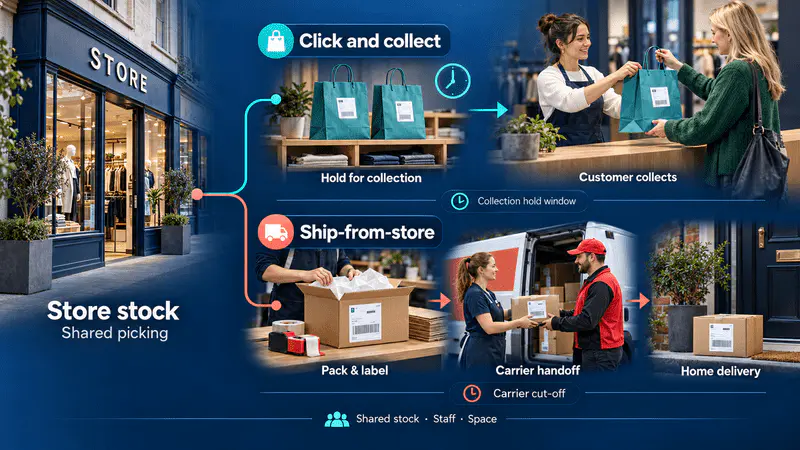
Omnichannel | Ship-from-store, pickup in store, cross-store returns, and Endless Aisle to sell items from other stores or warehouses |
India compliance | GST and e-invoicing support, plus role-based access control |
Integrations | Open APIs, webhooks and ready connectors for ERP, CRM, accounting, loyalty and analytics tools. Custom integrations are supported |
Speed | Average checkout time under 30 seconds |
Customer and loyalty | Unified customer profiles, built-in loyalty, promotions and AI-assisted clienteling |
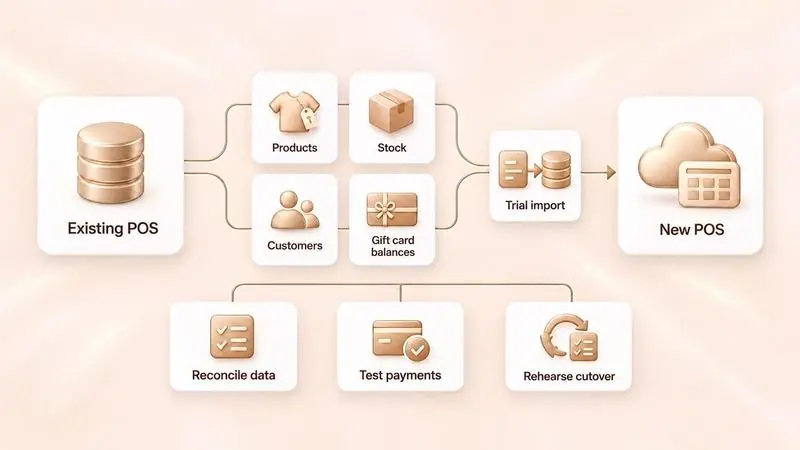
Rollout and support | Data import for inventory, customers, SKUs and users. Phased rollouts, parallel runs, multilingual training and on-ground help at go-live |
Devices | Android, iOS, tablets, desktops and existing terminals |
Who it suits best
Medium to large retail brands running multiple stores, selling across both store and online channels, and looking for one system to manage both. It’s a great fit for fashion, footwear, jewelry, electronics, franchise, and multi-brand retail.
When to look closely before choosing us
If you run only one or two stores and just need basic billing, a full Store OS may be more than you require. Also, if offline functionality or a specific accounting integration is critical, add it to your demo checklist and ask us to demonstrate it live. The same advice applies to every vendor.
Evidence: what to ask for and how to read it
Vendor claims are only useful if you can check them. Ask every vendor for these four things.
Numbers with clear definitions
40% faster means little unless you know faster than what, measured where, and over what period.
References that resemble you
Talk to a customer with a similar number of stores, category, and ERP system.
A live demo using your own data
Use your SKUs, tax rules and store setup to test.
A pilot with agreed-upon success measures
More on this below.
Here is what Fynd reports on its POS page. We're happy to share how each figure is measured.
Average checkout time under 30 seconds
10–12% less loss of sale due to stockouts
40% faster staff onboarding
2,200+ active stores on Fynd POS
A customer example. Unique Threads Saree is a family business with a legacy of nearly 150 years. As it grew from one store to many, each store ran like its own island. There was no shared view of sales, customer details weren't recorded properly, and payments were mostly cash. After moving to Fynd POS, all 10 stores were live within months. The team now processes nearly 5,000 retail orders a month and sees every store on one dashboard, with customer profiles captured at each sale. To be clear about what this shows: it's a story about visibility, consistency and a stronger base for growth. It doesn't claim a sales uplift, so don't read it as one. Read the full case stusdy |
Implementation: how to migrate without disrupting sales
Changing software across live stores feels risky, and it can be if you rush. This sequence keeps the risk low.
Audit your processes
Write down how you handle returns, store transfers, local discounts and tax today. List the systems that must stay connected, such as SAP or Tally.
Clean your product data
Remove duplicates, fix descriptions and organise tax rules before you move anything. Messy data in means messy stock out.
Connect your other systems
Test the link to your ERP or accounting tool before the pilot, not during it.
Pilot in 2 or 3 average stores for about a month
Don't pick your best or worst store. Agree on success measures up front, for example:
Measure | Why it matters |
Average checkout time | Shows whether queues move faster |
Stock accuracy vs physical count | Shows whether inventory can be trusted |
Return and exchange handling time | Tests your hardest day-to-day process |
Staff confidence (a quick survey) | Predicts how smoothly the wider rollout goes |
Issues raised and closed | Shows how responsive the vendor is |
Run old and new in parallel if you can
It's a safety net while the team builds confidence.
Train, then roll out in small weekly groups
Teach staff the moves that save sales, such as checking stock in other stores. Once the pilot is steady, move the remaining stores in batches. This is also when to check how each vendor handles go-live day support.
Commercial guidance: what to ask before you sign
The price per store is only part of the cost. Ask about these before you compare quotes.
How is pricing built?
Fynd's pricing is modular, based on the number of stores, POS users and the modules you switch on (POS, OMS, loyalty and so on). Other vendors may charge differently, so line up quotes on the same basis. You can see Fynd's plans on the Store OS pricing page.
What's included in onboarding?
Check data migration, training, on-ground support and any one-time fees.
What about hardware?
Find out if your current devices will work or if you need new ones.
What's the cost of integrations?
Ask who builds and maintains the link to your ERP.
What does support cover?
Look at hours, response times and escalation, especially during sale seasons.
What happens when you grow?
Ask what the price looks like at double your store count.
Can you leave cleanly?
Confirm the contract term and whether you can export all your data.
Add it up over three years, including licences, setup, hardware, integrations and support. That's the number to compare, not the first-year quote.
The big takeaway
A good POS gives your stores a shared view of stock, customers and orders, and it makes each new store easier to open than the last. Use the scorecard, run the five demo scenarios, ask for evidence you can check, and pilot before you commit. If a vendor fits your scorecard, including us, the numbers will show it.
If you'd like to see how Fynd POS performs on your own scenarios, we're happy to set up a demo around them.
Book a free demo
Jahnvi Gupta is a Senior Content Writer at Fynd with 6+ years of experience turning complex product ideas into content that’s clear, useful, and easy to follow. She writes about AI-first business tools, ecommerce technology, and the systems shaping modern retail operations with a focus on making technical concepts practical for growing businesses.