In a glass meeting room, a woman recruiter interviews a young male candidate, both smiling, a laptop open on the table
Fynd ERP

Hire the right people, and hand them straight to HR

Open roles with approval, move candidates through one pipeline, run interviews and offers, and turn accepted offers into new joiners without re-typing anything.

Everything your hiring team needs

From the first requisition to the signed offer, for every way you hire.

Requisitions and openings

Request a role, route it for approval and open it with the right details and budget.

Candidates and pipeline

One candidate record and pipeline per opening, with search, compare and bulk import.

Interviews and feedback

Schedule interviews, give panels their own view and collect structured feedback.

Offers and letters

Build offers from salary structures and send letters from templates and letterheads.

Campus hiring

Plan seasons and drives, manage institutes and student rosters in one place.

Referrals and internal moves

Employee referrals, internal jobs and move approvals for people already on your team.

Recruitment vendors

Vendors submit candidates through their own portal, with submissions and disputes tracked.

AI screening

AI helps score candidates against your rules, and you choose the model it uses.

Hiring analytics

Views for recruiters, hiring managers and interviewers on what is moving and what is stuck.

Who it's for

Recruiters, managers, interviewers and HR each get their own view of hiring.

Recruiters

  • One pipeline per opening
  • Bulk import with resume parsing
  • Compare candidates side by side

Hiring managers

  • Raise a requisition and track its approval
  • Review candidates and give feedback
  • A hiring view of what is moving and what is stuck

Interviewers

  • Their own list of interviews
  • Time, place or meeting link on every slot
  • Structured feedback after each round

HR and compensation

  • Offers built from salary package structures
  • Letters from templates and letterheads
  • Accepted offers hand over as new joiners, with BPJS registration data ready

See the screens your team will use

Real screens from Fynd ERP, shown with demo data for a fictional company.

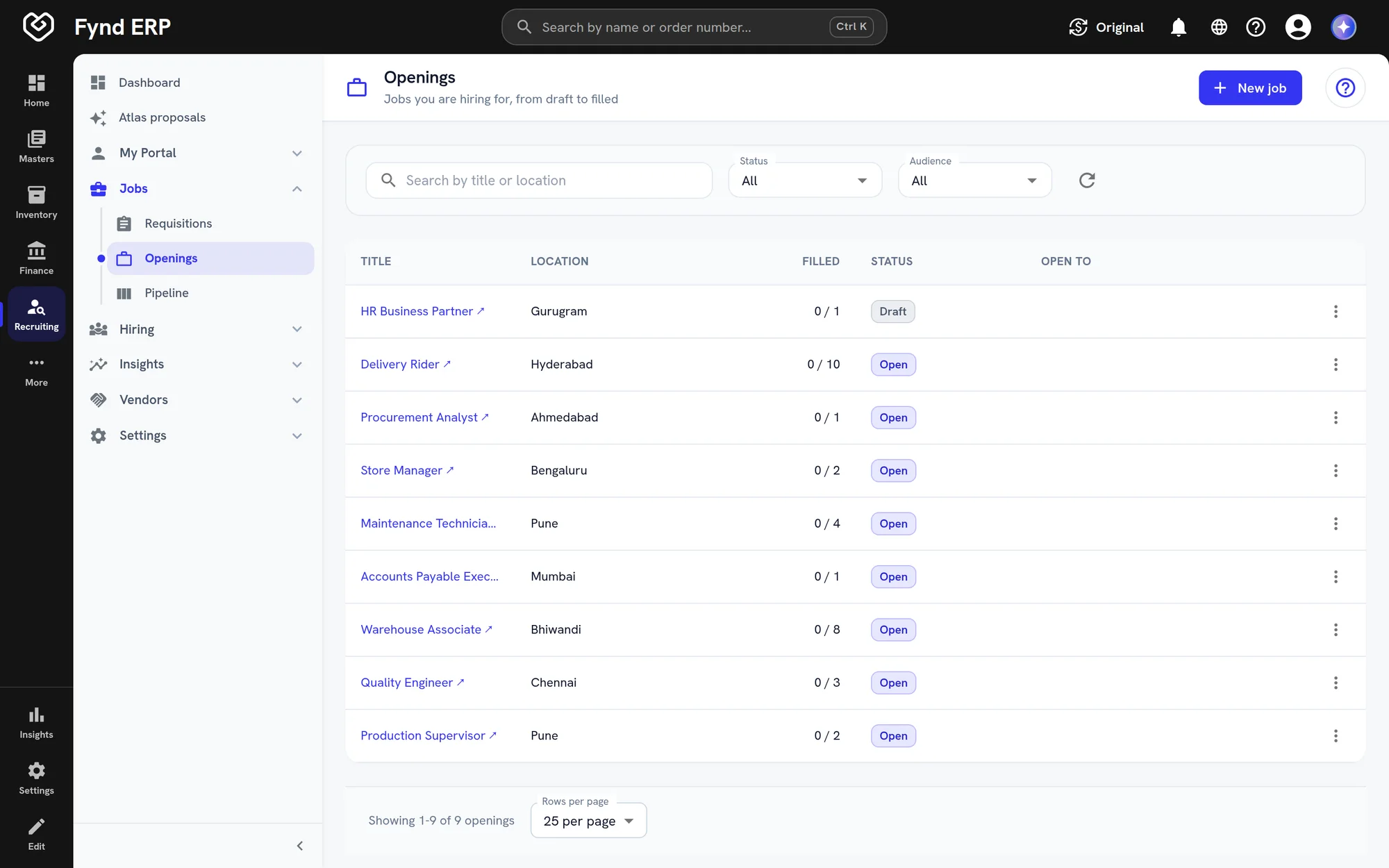
See every open job with positions to fill and how many candidates sit at each stage.

  • Applied, screening, interview, offer and hired counts
  • Filter by status and owner
  • Export to CSV

A day in recruiting

Follow one role from the request to the new joiner's first day.

  1. Recruiting

    A role is requested

    A plant manager requests two production supervisors, and the requisition routes for approval.

  2. Recruiting

    The opening goes live

    The approved role opens with its location and positions and is published to your career site.

  3. Recruiting

    Candidates come in

    Applications, referrals and vendor submissions land in one pipeline for the opening.

  4. Recruiting

    The shortlist is interviewed

    Screening scores candidates against your rules, and the panel interviews the shortlist.

  5. Recruiting

    An offer goes out

    The offer is built from the salary structure, approved and sent on your letterhead.

  6. HR and Payroll

    HR takes over

    The accepted offer hands over to HR as a new joiner, with nothing typed twice.

  7. Learning

    Training starts

    Onboarding courses are assigned to the new employee.

Recruiting features in detail

The parts of recruiting hiring teams ask about most.

Applicant tracking

Every candidate has one record and moves through a pipeline for each opening, from applied to hired. Search, compare and bulk import keep large volumes manageable.

  • Stage counts for every opening
  • Resume parsing and duplicate checks on import
  • Board and list views of candidates

Interview scheduling and feedback

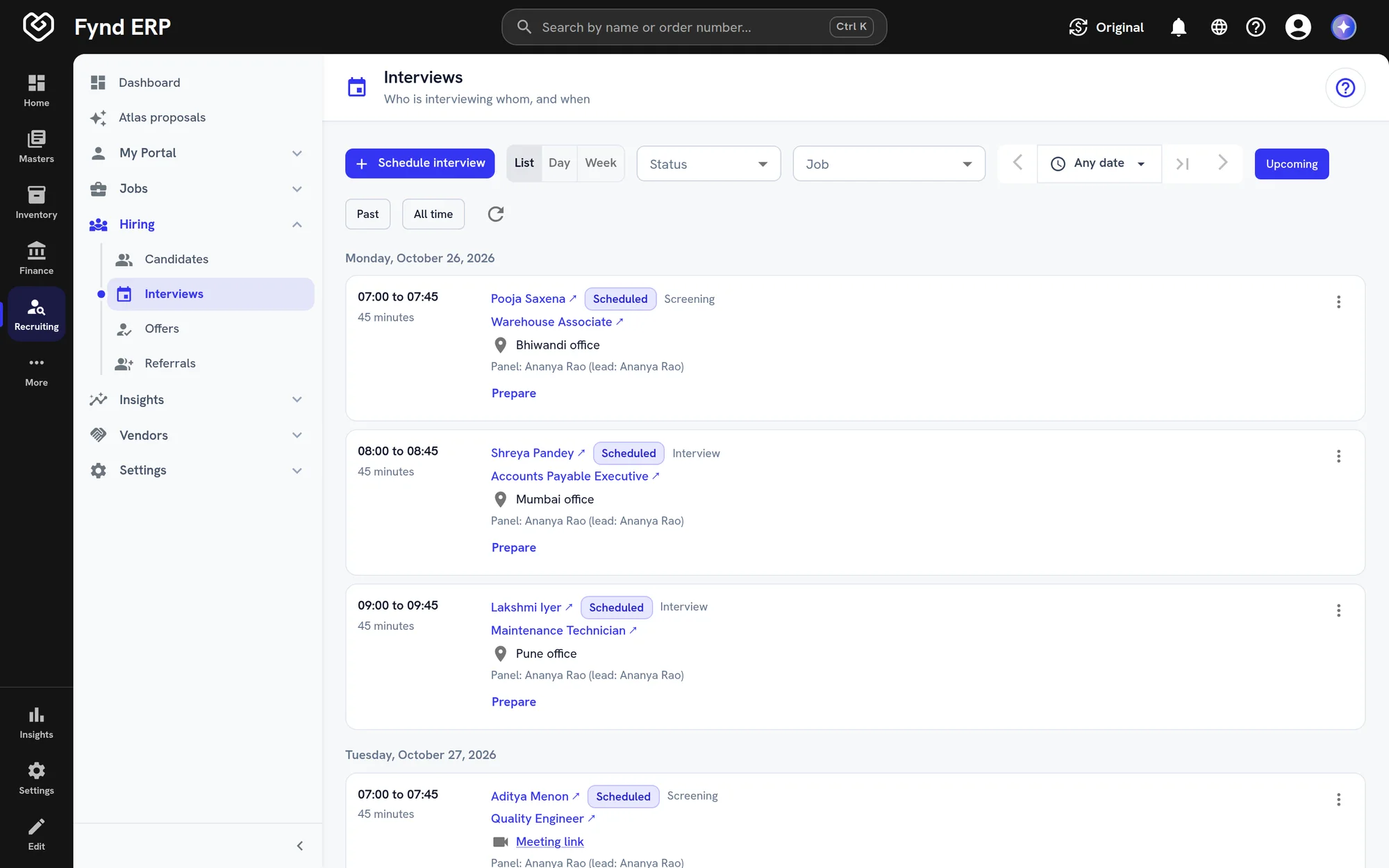
Schedule online and in person interviews with a panel, and each interviewer sees their own list. Structured feedback is collected after every round.
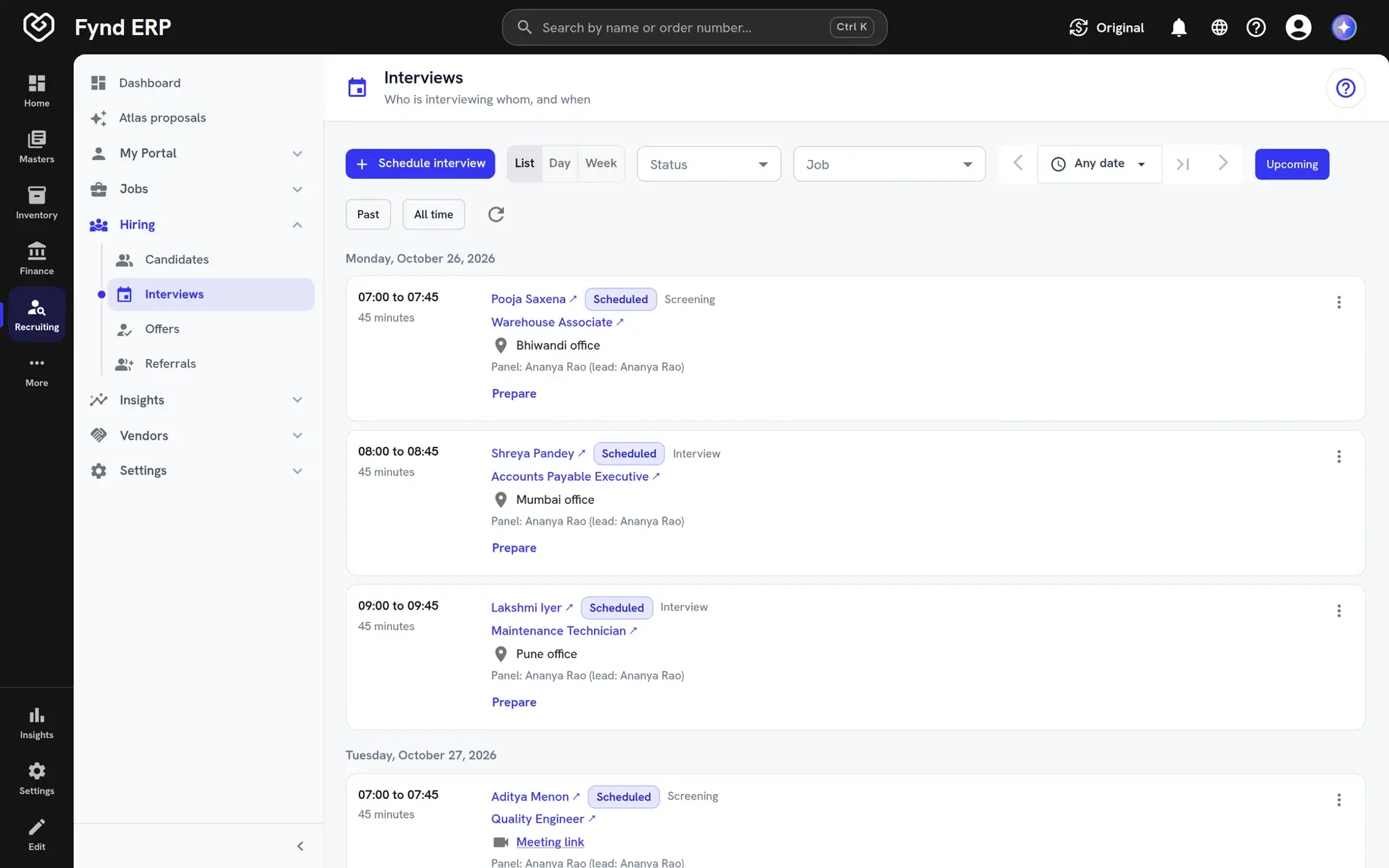
  • List, day and week views
  • Panel lead on every slot
  • Feedback forms per round
Fynd ERP interview schedule showing upcoming interviews by day

Offer letters and approvals

Build offers from salary package structures and send them on letter templates and letterheads. Offers follow your approval routes before they go out.

  • Salary package structures for each offer
  • Letter templates and letterheads
  • Approval routes and a hand-off to HR

Campus hiring

Plan hiring seasons and drives, and keep institutes, students and rosters in one place. Campus analytics show how each season and drive is going.

  • Seasons and drives
  • Institutes and student rosters
  • Campus hiring analytics

Recruiting connects to the rest of the business

The candidate you hire becomes the employee you pay, in the same system.

HR and Payroll

Accepted offers hand over to HR as new joiners.

Learning

New joiners get their onboarding courses from day one.

Finance and Accounting

Offers are built from the salary structures you set, so the cost of each hire is known up front.

Documents

Resumes, letters and signed offers stay with each candidate.

Customer Communications

Candidate emails and updates go out through one channel.

Reporting

Report on time to hire, sources and funnel health.

Frequently asked questions

Requisitions and openings, candidates and pipeline, interviews and feedback, offers and letters, campus hiring, referrals, internal moves, recruitment vendors, AI screening and hiring analytics.

Yes. Vendors submit candidates through their own portal, and you track submissions and disputes.

Yes. You can plan seasons and drives and manage institutes and student rosters.

The candidate is handed over to HR as a new joiner, so nobody types the details in twice.

You choose it in settings. Screening scores follow the rules you define, and people make the final call.