Running a retail store in India? Here's how to integrate UPI payments in your POS the right way
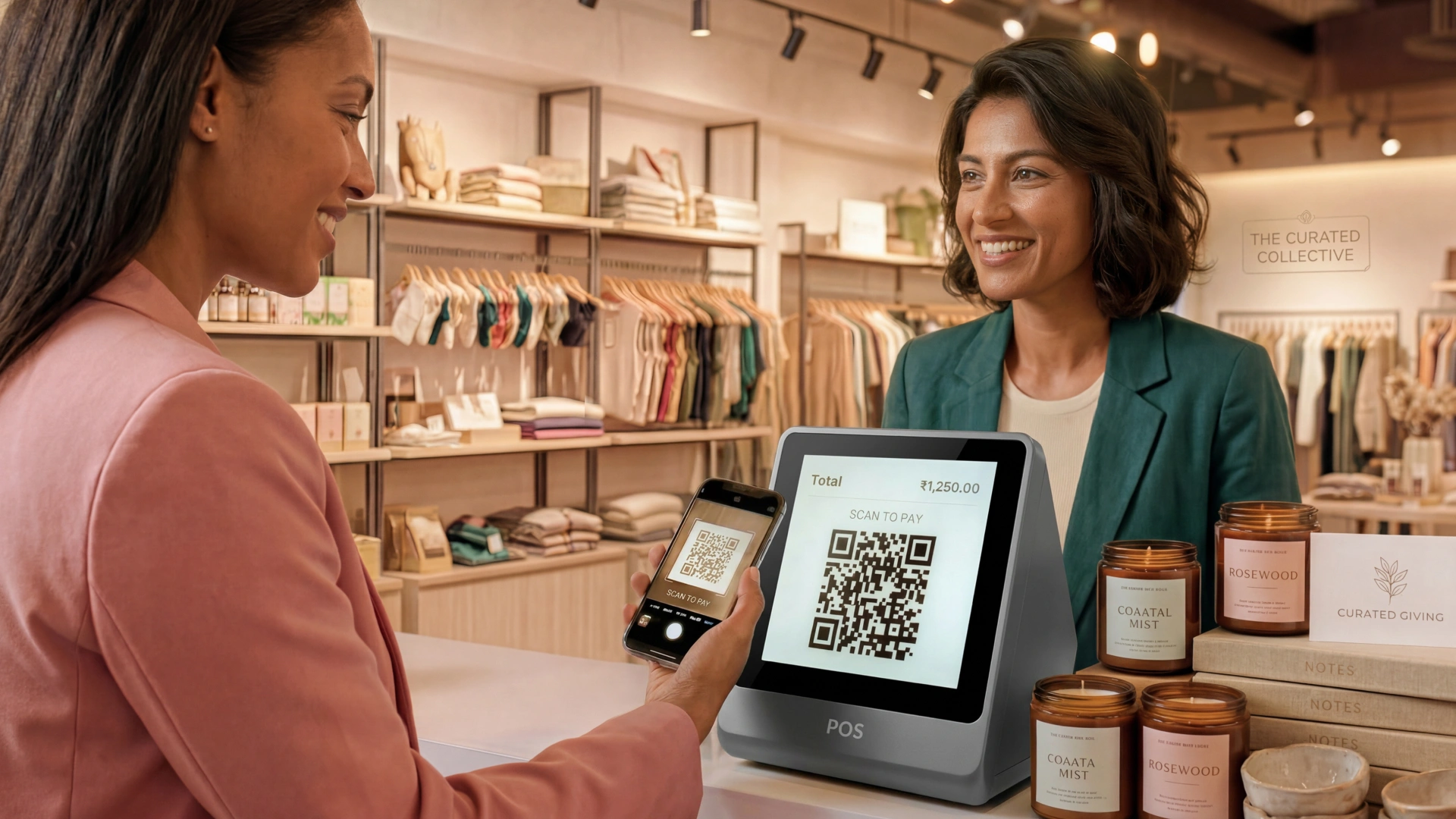
India processes over 18 billion UPI transactions every month. Many of these happen at physical retail stores like billing counters and checkout desks. Customers come ready with their phones and UPI apps, expecting a quick and smooth checkout.
But for many retailers, the checkout process is slower and more complicated because UPI payments are accepted but not integrated into their systems.
This guide explains what UPI integration in a POS system means, why it is important and how retailers can set it up properly.
What is UPI payment integration in POS?
A Point of Sale (POS) system is a combination of hardware and software that processes sales transactions. The hardware, like a POS machine, card reader or barcode scanner handles the physical side of the transaction. The software manages everything behind the counter: billing, inventory tracking and sales reporting.
Unified Payments Interface (UPI) is a real-time payment system by the National Payments Corporation of India (NPCI) that allows instant bank transfers using a Virtual Payment Address (VPA), QR code or mobile number.
UPI POS integration for retail means connecting the POS system directly with the UPI payment system. This lets payment requests, confirmations and records move automatically between the POS, payment gateway, and banks without manual work.
Accepting UPI vs. integrating UPI: Understanding the difference
Accepting UPI means having a QR code at the store that customers scan to pay. The payment happens outside the POS system and someone must manually check and record it later.
Integrating UPI means the POS creates a payment request for each sale, gets real-time payment confirmation, and automatically updates sales, inventory and reports.
Accepting UPI is a temporary fix. Integrating UPI is the right way to build a reliable payment system.
Why retailers need proper UPI integration
- Manual errors: Without automatic recording, staff must match payments manually, which leads to mistakes as transactions increase.
- Checkout delays: Checking payments manually slows down the checkout, especially during busy times.
- Incomplete data: Payments outside the POS do not appear in reports, causing unreliable sales and inventory data.
- Refund problems: Without linked transactions, refunds and disputes take longer and are harder to manage.
- No audit trail: Integrated systems keep a clear record of payments; unintegrated ones do not, causing compliance issues.
How to integrate UPI in POS system
- The cashier adds items and creates a bill in the POS
- The customer chooses UPI as the payment method
- The POS sends a payment request to the payment gateway
- The gateway creates a dynamic QR code or sends a UPI collect request for the exact amount
- The customer scans the QR or approves the request and enters their UPI PIN
- The bank processes the payment and sends confirmation to the gateway
- The gateway sends confirmation to the POS in real time
- The POS marks the bill paid, updates inventory and prints a receipt automatically
The transaction finishes without manual checks or extra record-keeping.
Step-by-Step guide to integrating UPI in your POS
Step 1: Evaluate your current POS system
Check if your POS supports:
- Dynamic QR code for each sale
- Real-time payment updates
- Automatic transaction recording
- Refunds through the system
If not, consider upgrading to a modern POS before adding UPI integration.
Step 2: Select a payment gateway
Choose a gateway that offers:
- Support for popular UPI apps (GPay, PhonePe, Paytm, BHIM)
- Fast settlement times
- High success rates and reliability
- Good API documentation for integration
- Security certifications (PCI DSS)
- Responsive merchant support
Step 3: Complete merchant onboarding and KYC
Submit required documents like GST certificate, bank details, PAN, and identity proofs. This process usually takes 2-5 business days.
Step 4: Obtain your merchant UPI ID (VPA)
The payment gateway will give you a Virtual Payment Address (VPA) that links to your bank account and is used in all payment requests.
Step 5: Integrate the gateway with your POS
Integration can be
- Native: Built-in connectors in modern POS systems
- Plugin-based: Add-ons that connect POS to the gateway
- API-based: Custom integration needing developers
Work with your gateway’s team to ensure smooth setup.
Step 6: Set up payment hardware
Depending on your store, you may need:
- A customer-facing screen showing QR codes
- All-in-one POS terminals
- Audio devices to confirm payments
- Mobile POS devices for assisted selling
Step 7: Test all transaction scenarios
Use the gateway’s test environment to check:
- Successful payments via different UPI apps
- Handling of payment failures
- Partial or split payments
- Refund processing
- Accurate transaction records
- Internet interruptions
Testing prevents issues at live checkouts.
Step 8: Train store staff
Make sure staff can:
- Start UPI payments from the POS
- Recognize and handle failed payments
- Process refunds
- Contact support if needed
Provide guides and practice sessions before going live.
Step 9: Monitor and reconcile post go-live
After launch, regularly:
- Check daily settlement reports
- Compare gateway and POS records
- Set alerts for payment issues
- Assign someone to fix discrepancies
Early monitoring helps catch problems quickly.
Types of UPI integration methods
Two main ways to accept UPI payments at POS:
- Dynamic QR code POS: POS creates a unique QR code for each sale with the exact amount. Customers scan and pay.
- UPI collect request: POS sends a payment request directly to the customer’s UPI ID for approval.
Both give real-time confirmation and automatic recording when integrated properly.
Key compliance and security requirements
- PCI DSS Compliance: Ensure your POS and gateway meet payment security standards.
- Data encryption: Payment data must be encrypted during transfer.
- Tokenisation: Sensitive data is replaced with tokens to reduce risk.
- NPCI guidelines: Follow rules on transaction limits and QR codes.
- GST and e-invoicing: POS should create GST-compliant invoices and support e-invoicing if required.
How Fynd POS supports UPI-ready retail operations
Fynd POS is a cloud POS with a UPI support system built for modern retail running on Android, iOS or any browser without proprietary hardware.
The payment infrastructure of the best POS system with UPI integration India:
- UPI payments are processed natively through Razorpay - no separate gateway setup needed
- Supports cards, net banking and wallets via Razorpay, PayU and Juspay
- Pine Labs terminals supported for in-store card, contactless and EMI payments at the counter
- Dynamic UPI QR code for retail stores generated for every transaction, mapped to the exact bill amount
- Real-time payment confirmation reflected directly in the POS
- Full transaction records, GST-compliant billing and automatic inventory updates
- All payment modes configurable from a single dashboard, per store and device
At scale:
- Under 30 seconds average checkout time
- 100% uptime
- 40% faster onboarding
- 2.2K+ active stores powered by Fynd
Want to see what a fully integrated POS checkout looks like in practice? Book ademo with us
Frequently asked questions

Empower your business, every step of the way
More Blogs