November 24, 2026
Virtual showroom software: a guide for retailers
Learn what virtual showroom software does, how it differs from a 3D product viewer, what it costs and how to choose a provider and run a pilot.
Amrita Bhambhani
November 24, 2026
Learn what virtual showroom software does, how it differs from a 3D product viewer, what it costs and how to choose a provider and run a pilot.
Amrita Bhambhani
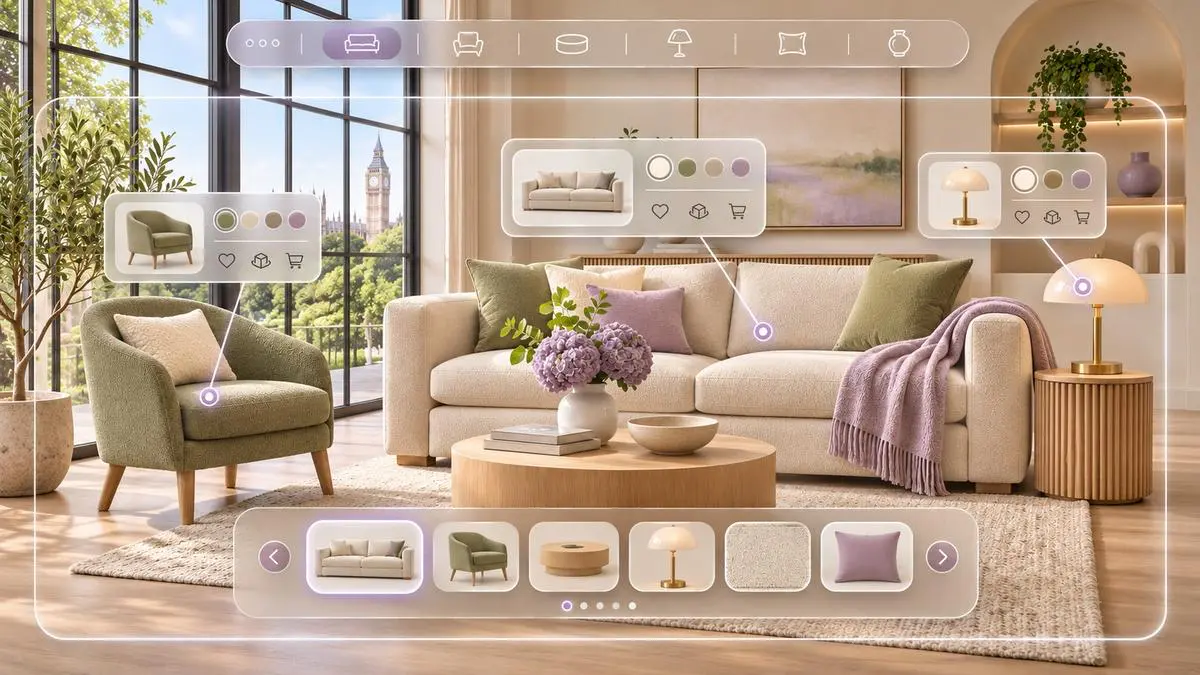
When shopping for furniture, homeware or fashion, customers often want to see how products look together before making a purchase. In a physical showroom, they can explore different combinations, compare options and get advice from sales staff. Virtual showrooms bring a similar experience online, allowing customers to explore products in a more realistic setting.
However, virtual showroom software can mean different things depending on the provider. Some platforms let retailers create interactive 3D stores, while others offer virtual tours of existing showrooms. The features, setup requirements and pricing can vary considerably.
This article explains how virtual showroom software works, how it differs from a 3D product viewer and what retailers can expect to pay. It also looks at the potential impact on sales, the product assets needed to get started and what UK retailers should consider when choosing a provider and testing the software.
Virtual showroom software is a platform for building interactive online spaces where shoppers or buyers explore products or a retail environment. Also called digital showroom software, it presents a store, product range, collection or event, and the features differ by provider.
Depending on the platform, visitors can open product hotspots, watch videos, compare items, ask for advice or follow links to a product page, appointment or checkout. The term covers several formats.
Format | User | What the experience does |
Consumer 3D virtual showroom | Retail customers | Shoppers explore a branded scene, open product details and may continue to a basket or enquiry |
B2B digital showroom | Brands, wholesalers and retail buyers | Buyers browse a collection or assortment; ordering and account-specific availability depend on the platform |
360° tour or digital twin | Visitors to a physical store or showroom | Captured imagery lets visitors look around a real space remotely |
A retailer selling to shoppers online would start with a consumer 3D virtual showroom for ecommerce, and wholesale or store-visit goals point to the other two formats.
Headsets are optional for browser-based experiences, which run on phones, tablets and desktops. Shopify describes headset-based and web-based VR options and recommends a non-VR fallback, such as a standard 3D viewer or video tour, so every customer can engage.
A 3D product viewer lets someone inspect a single item, usually by rotating or zooming it. A virtual showroom, often built as a 3D virtual showroom, places many products in a curated space and may add scene changes, hotspots, comparisons and routes to a sale. Both can use the same 3D models, and a showroom can include product viewers.
3D product viewer | Virtual showroom | |
Scope | One product or variant | A collection, scene or space |
Typical location | Product page | Dedicated destination or embedded site experience |
Main interaction | Rotate, zoom or inspect | Move through scenes, open hotspots and explore products in context |
Commerce path | Usually provided by the surrounding product page | May link to product pages, enquiries, appointments or in-experience ordering |
Asset needs | A suitable product model or other supported visual asset | Product assets plus a captured or designed environment |
The purchase path usually sits on the surrounding page. A retailer can put a viewer on a product page that already contains the price and add-to-basket button. The added environment earns its place when it helps customers make a decision that a product page supports less well.
A 3D rendering alone can suit products such as handbags or small electronics, where in-room context adds little. If a retailer already has accurate models for a small range of hero products, it may be able to reuse them in a showroom. A showroom can also include configuration features, which depend on valid product rules and form their own buying criteria. See our guide to 3D product configurators for ecommerce.
Virtual showroom retail projects add value when product context, collection discovery or guided advice influences the purchase decision.
Furniture and homeware: Stage products together, show finishes and dimensions, and connect shoppers to product pages or a design appointment.
Fashion and lifestyle: Present a seasonal edit, campaign or wholesale collection, with links to products or buyer enquiries.
Automotive and other considered purchases: Let customers explore a model or range and continue to a test-drive booking, quote or in-person visit.
Remote sales and B2B: Give sales teams a repeatable space for presenting products to buyers who cannot visit in person.
Harrods planned a Matterport virtual showroom of its furniture department for a May 2021 launch, to support remote personal shopping and help customers plan a visit. The case study describes the goal and planned use only.
Choose the format that addresses the barrier. Room-scale AR may help someone judge whether a sofa fits at home; better search may solve product discovery problems more directly than a 3D environment.
Virtual showroom software ranges from entry-level subscriptions to custom proposals priced by scope. Shopify estimates that entry-level options can start at a few hundred dollars a year and that full-featured platforms can run into thousands monthly. The number of products, scenes and integrations moves a quote within that range.
For example, Rooom lists a Base plan at €9 per month plus VAT on an annual term, limited to one space and 500 views. A subscription at this level covers one space and a limited number of views, and a custom retail environment is scoped and priced separately.
For a useful quote, separate the costs into:
Software and hosting: Subscription, visitor or view limits, storage, support and service levels.
Product and space assets: Capture, modelling, materials, textures, scene design and web optimisation.
Commerce connections: Catalogue, variant, price, availability, basket, checkout, lead capture or appointment links.
Operations: Analytics, device and accessibility testing, maintenance, content updates and staff time.
Ask each supplier to price the same pilot scope: a fixed number of spaces, scenes, products and integrations. Request separate rates for additional models and future updates. Confirm the contract term, VAT, usage limits, support, data export and ownership of the source assets. For custom projects, request a scoped proposal and treat any generic six-figure estimate from a supplier’s article or another market as indicative only.
Virtual showrooms may help shoppers understand products and explore a collection, and the sales effect depends on the products, the audience and the execution. Research finds that 3D content raises purchase intention, which gives a reason to test a showroom, and a retailer's own comparison shows the effect on sales.
A 2025 peer-reviewed study by Rohden, Subbotin and Espartel used two experiments with 339 participants. It found higher satisfaction and purchase intentions for low-immersive 3D content than for 2D content. The findings concern 3D content and stated intentions, so the sales effect of a complete showroom remains to be tested.
The strongest business case comes from testing your own customers and catalogue:
Choose products where context may matter, such as high-traffic or considered purchases.
Compare routes to purchase by randomly assigning eligible visitors to the showroom or existing product pages where possible.
Allow for the purchase cycle. Furniture may need a longer test than accessories.
Measure outcomes: conversion, revenue or margin per eligible visitor, and relevant enquiries or appointments.
Use engagement as diagnosis. Scene views and hotspot clicks help explain results, and incremental sales come from the comparison in step 2.
Where relevant, also compare returns, cancellations and customer-service contacts. A virtual experience should make the decision easier and keep the standard product page quick for shoppers who prefer it.
A virtual showroom needs an environment, 3D models or approved product images, accurate catalogue data, hotspot media and links to product pages or sales actions. The exact formats depend on the platform, and an owner is needed for updates, analytics and testing across devices and accessibility needs.
A tour of a physical showroom starts with spatial capture and product hotspots, and a designed 3D store adds an environment. Product models help visitors inspect items or place them in a scene, and a showroom can use models for a selected range of products.
Asset | What to prepare | Note |
Space or environment | Floor plan, 360-degree capture, CAD/BIM source or designed 3D scene | Choose the source based on whether you are digitising a real space or creating a new one |
Product visuals | Approved product photography, 3D models, finishes and textures | Confirm whether the platform accepts your source formats |
Product data | Names, SKUs, variants, dimensions, descriptions, prices and availability | Map every hotspot to the correct current catalogue entry |
Hotspot media | Close-up images, video, documents or product guidance | Prepare the content and keep it current with the product |
Commerce and sales links | Product page, basket, enquiry, appointment, quote or CRM handoff | Agree which system owns each action and how it will be tracked |
Page content and analytics | Text descriptions, headings, accessible controls and event tracking | Keep essential product information available outside the 3D scene as well |
GLB or glTF files serve web and Android viewers, and USDZ files open in Apple AR Quick Look, so confirm which formats the platform and target devices support. Models should be built to real-world scale, with optimised geometry and textures, and delivered as GLB, with a target of about 4 MB for the total file size and a smaller size for some uses.
Use a supplier demo to check how the experience will work with your actual products and systems. Ask:
Assets: Who creates and updates models and environments, and who owns the files?
Devices: Does it work in a mobile browser?
Integration: Can it link products and variants to current catalogue, price and availability data?
Operations: Can your team update products and measure interactions without rebuilding the experience?
Terms: Does the quote cover the items in the cost checklist above, including data export and ownership of the source assets?
Modules: Does the supplier sell the showroom alone or as part of an immersive commerce platform with try-on, 3D viewers and configurators, and which modules does the quote include?
Start with one customer problem and a limited product range, and set product-accuracy, accessibility and load-time requirements alongside the commercial threshold for expanding the pilot.
Fynd GlamAR helps retailers create interactive 3D virtual showrooms that customers can explore directly through a web browser, without needing a VR headset. Customers can view products in a realistic setting, explore them from different angles and get a better understanding of how they look together.
Beyond virtual showrooms, GlamAR offers 360° product viewing, 3D product configuration, virtual try-on and digital asset management. These features can be integrated into a retailer’s existing ecommerce website.
Implementation timelines depend on the project. A simple 3D product viewer can be ready in a few days, while a complete virtual store may take up to four weeks. Pricing is based on the number of products, showroom scenes and integrations required, so retailers can request a quote based on their requirements.
Retailers can start with a single product category to see how customers interact with the showroom and whether it improves product discovery and purchase decisions before expanding further.
Want to see how a virtual showroom could work for your retail business? Explore Fynd GlamAR and see how you can bring your product collections to life online.
Amrita Bhambhani
No. Browser-based showrooms run on phones, tablets and desktops, and headsets are optional. A standard 3D viewer or video tour gives every customer a way in.
Possibly. If a retailer already has accurate models for a small range of hero products, a showroom may be able to reuse them. Confirm that the platform accepts your file formats, such as GLB, glTF or USDZ.
The timeline depends on scope and on how ready your assets are. GlamAR's product page says small projects, such as 3D product viewers, can launch in a few days, and a larger virtual store may take up to four weeks.
Ask the supplier whether hotspots can link products and variants to current catalogue, price and availability data. GlamAR integrates into existing websites, and your supplier should confirm the details for your platform.
Run a test on products where context may influence the decision. Randomly assign eligible visitors to the showroom or the existing product page, then compare conversion, revenue or margin per visitor, and returns.
Compare the best AI marketing studios for e-commerce brands in 2027. Explore product content creation, campaign publishing, AI video ads, and platform features.

Compare retail operating systems in India for 2027. Explore POS, inventory, loyalty, clienteling and endless aisle features to find the right fit for your stores.
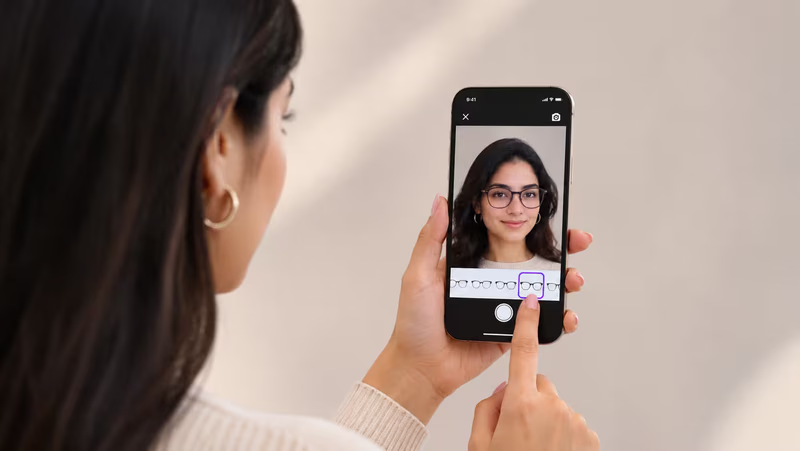
Compare virtual try-on platforms for ecommerce and retail, including Fynd GlamAR, Perfect Corp., Zakeke, Banuba, WANNA, Style.me and Kivisense.
Isi formulir
Bagikan informasi kontak Anda untuk memulai
Bicara dengan pakar
Anggota tim sales kami akan menghubungi Anda